© Safe Fleet | September 2019 | All rights reserved
SSV9 Installation and Setup Guide
32
R2
System Conguration
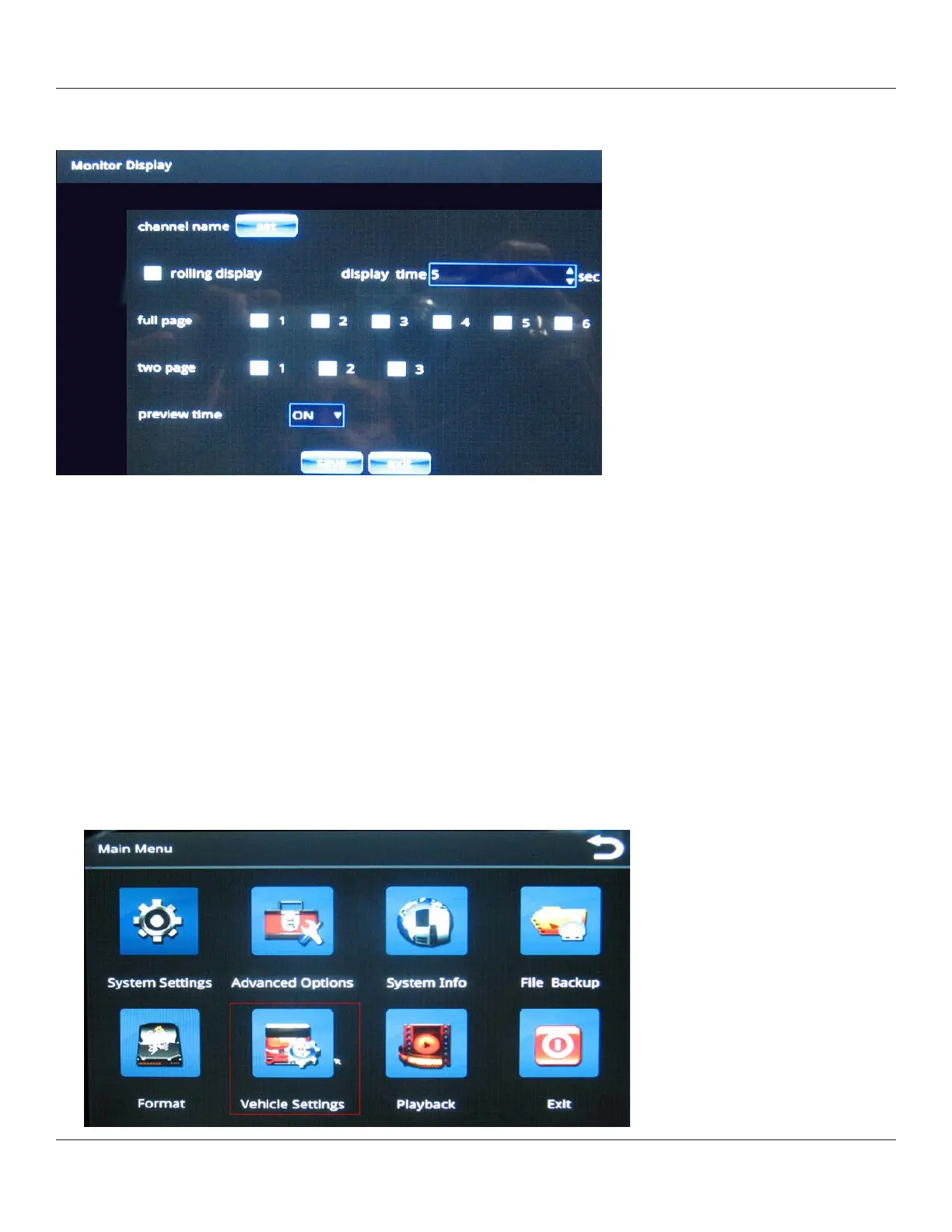
The Monitor Display screen enables you to specify the format for displaying the images from the system’s six camera
channels.
2. Set: pressing this button displays an on-screen keyboard where you can specify a name for the camera channel (for
example, “Rearcam” instead of the default “CH02”).
3. Rolling display: selecting this check box cycles the display automatically among all the selected channels for the
interval specied in Display time.
4. Display time: controls how long each channel is displayed.
5. Full page/two page: species selected channels display in a full-screen or two-up fashion.
6. Once you have nished specifying all settings, press Save to preserve your changes.
Specifying Vehicle Information
Specifying vehicle and driver information is useful for data collection and analysis, for record keeping, and for identifying
the vehicle on the map display of the MDVR player.
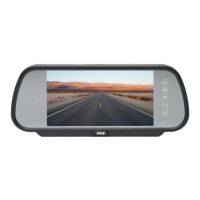
1. From the Main Menu, select Vehicle Settings.



 To Next Page