© Safe Fleet | September 2019 | All rights reserved
SSV9 Installation and Setup Guide
33
R2
System Conguration
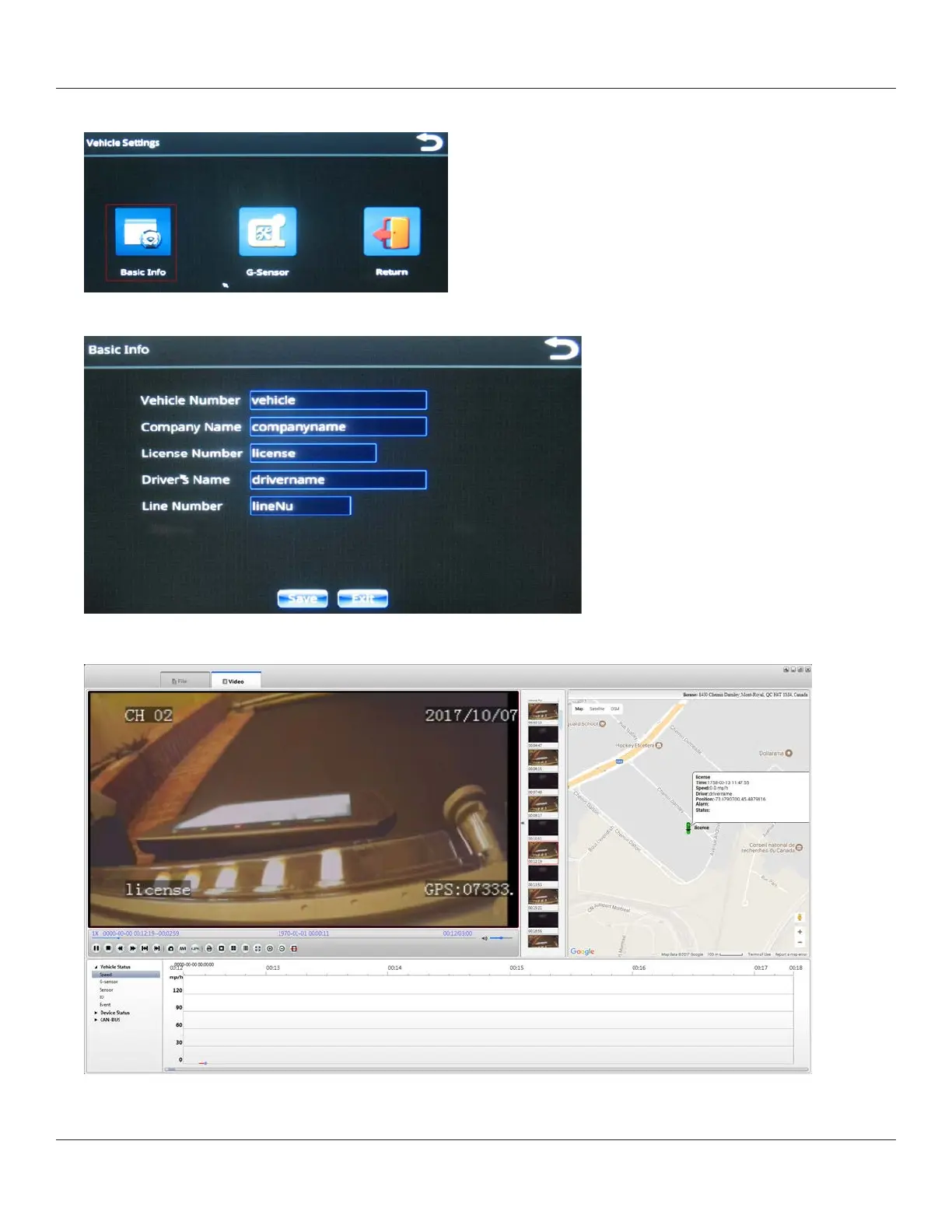
2. From the Vehicle Settings menu, select Basic Info.
3. Enter all information in the text elds.
This information is made available to the MDVR player software for viewing in the status window during playback.
1.
4. Select Save when done.



 To Next Page