© Safe Fleet | September 2019 | All rights reserved
SSV9 Installation and Setup Guide
22
R2
System Conguration
Specifying Record Settings
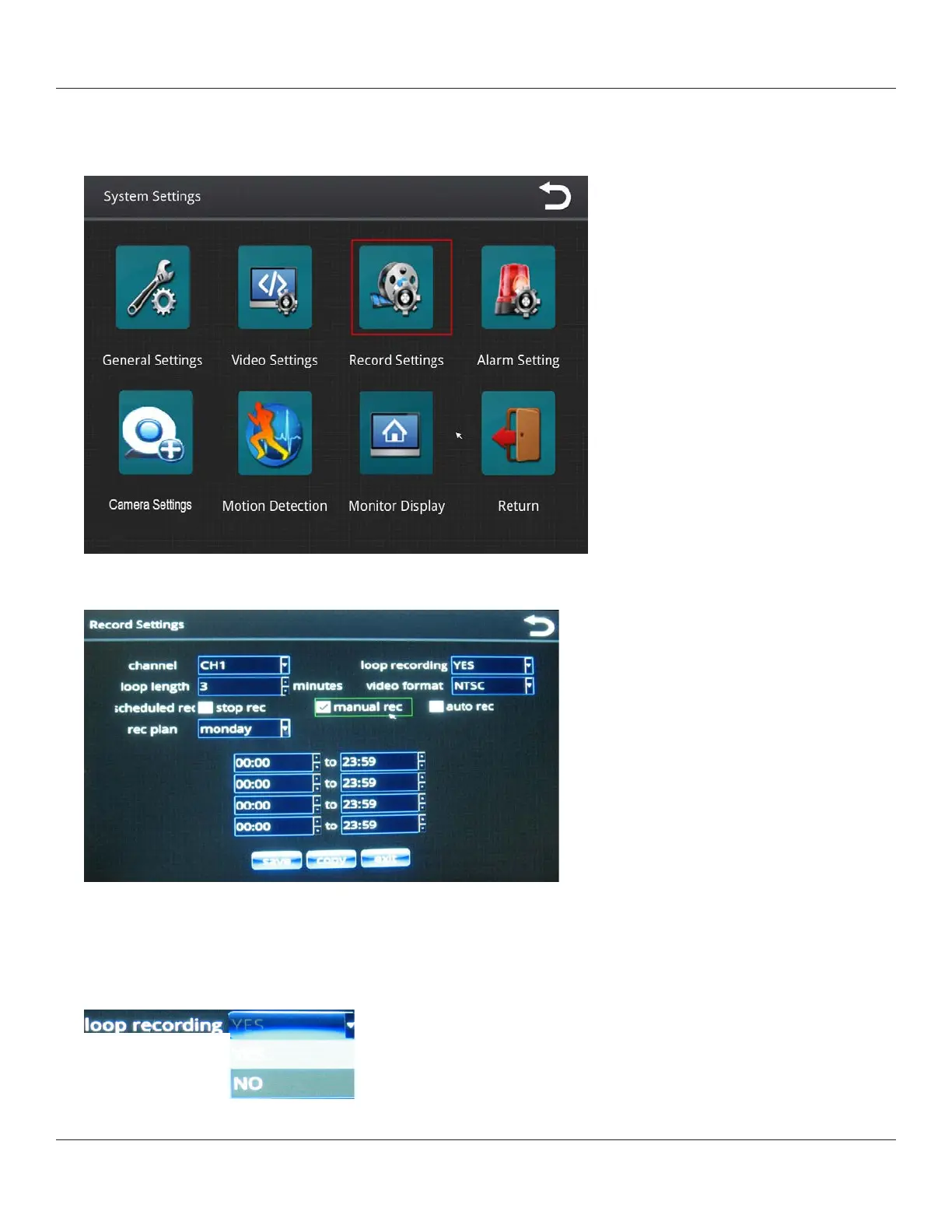
1. From the System Settings menu, select Record Settings.
The Record Settings menu enables you to set recording properties for each of the six channels, which are selectable
from the channel pull-down menu.
After you select a channel from the menu, you can apply properties for that channel as described in the following
steps.
2. With loop recording, the video les are stored on the memory card, with the newest video continuously replacing the
oldest video.
Select Yes or No from the loop recording pull-down menu.



 To Next Page