© Safe Fleet | September 2019 | All rights reserved
SSV9 Installation and Setup Guide
45
R2
Troubleshooting
Troubleshooting
The material presented in this document provides troubleshooting tips for the SSV9 DVR Monitor.
LED signals
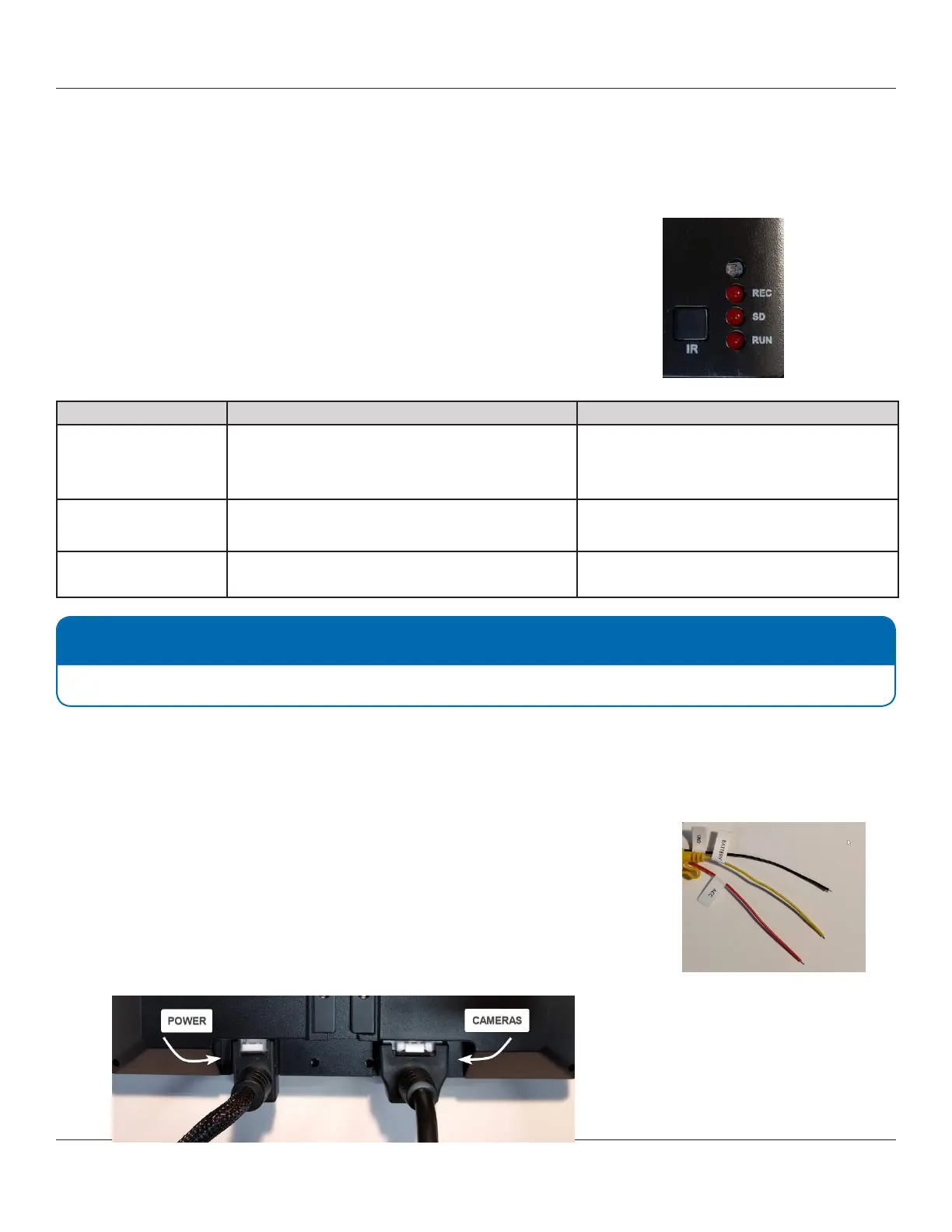
The front panel of the DVR monitor comprises three LED status indicators:
• REC – Blinks when a recording is in progress.
• SD – Blinks when the SD card is detected and can be used by the system.
• RUN – Blinks when the system starts and runs.
Scenario Step 1 Step 2
.REC remains o SD card is present and properly installed:
Format the SD card. See the Format
section.
SD Card Formatted:
Set video recording in “Auto” mode. See the
Specifying Record Settings section.
SD remains o SD card is present and properly installed:
Format the SD card. See the Format section.
SD Card Formatted :
Replace SD Card.
RUN remains o or
device does not start
Refer to the Startup and Runtime
section.
Startup and Runtime
Normally the SSV9 DVR should complete loading and be operational within 60 seconds after powering on.
Q.1: Device does not start. The screen remains black and all LEDs are o.
a. Check connection to the power source and that each wire is connected properly.
• Yellow – Battery,
• Red – ACC or Battery,
• Black – Ground.
b. Disconnect power cable from the device and then reconnect it.
When inserting the connector, push it until the connector lock is closed. You
should hear a light clicking sound.
NOTE: Replacing SD cards
It is recommended to replace SD cards every 90 days to ensure consistent video recording.



 To Next Page