© Safe Fleet | September 2019 | All rights reserved
SSV9 Installation and Setup Guide
25
R2
System Conguration
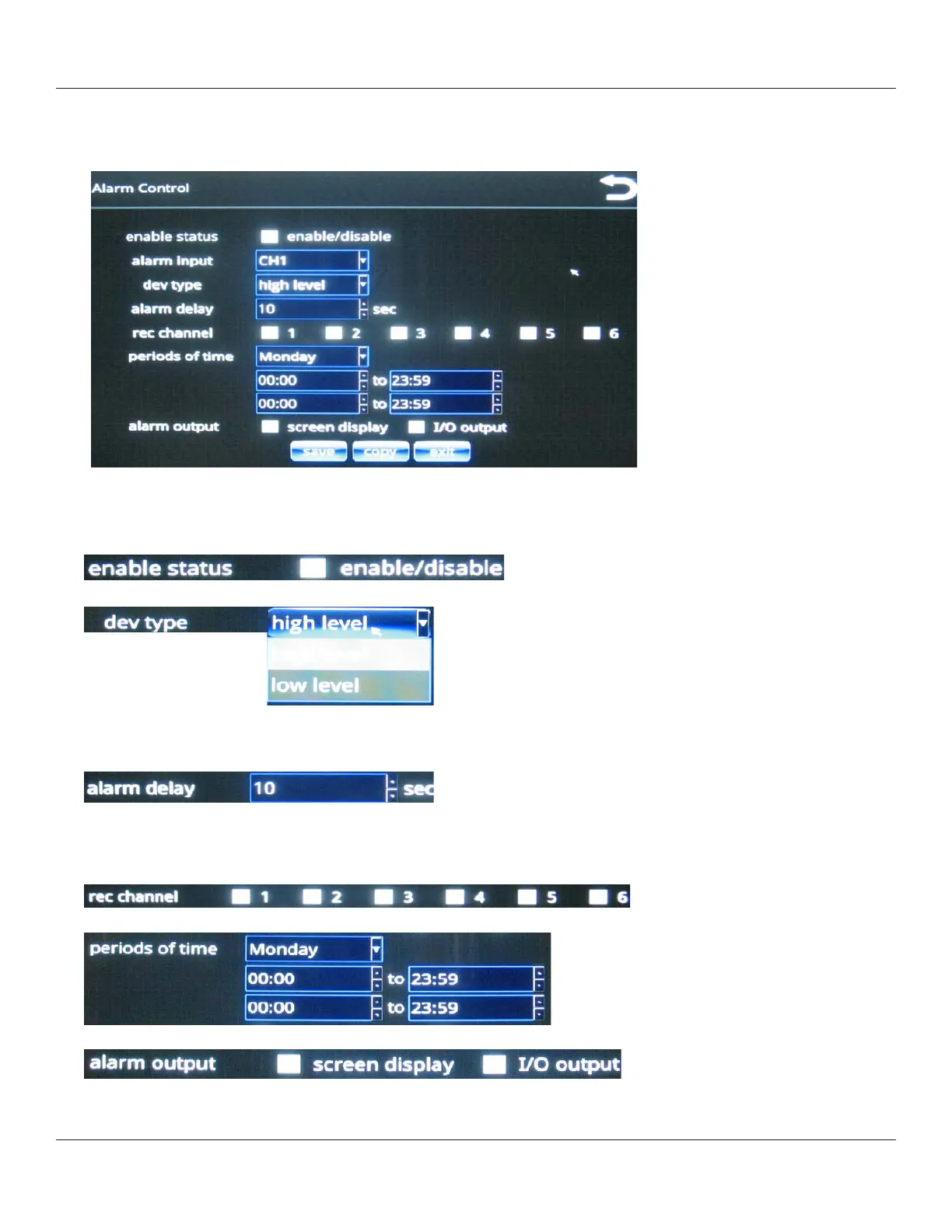
The Alarm Control menu that is displayed, enables you to set alarm properties for each of the six trigger channels,
which are selectable from the channel pull-down menu.
After you select a channel from the menu, you can apply properties for that channel as described in the following
steps.
2. Enable Status: use the check box to enable and disable alarms.
3. Dev type: choose high level or low level from the menu.
Alarm triggers can be either high voltage (high level) or GROUND (low level).
4. Alarm Delay (seconds).
Alarm delay is the length of time the alarm channel displays in full-screen mode and with a recorder.
5. Rec Channel.
Use the check boxes to specify which channels to record when an alarm occurs on the specied input channel.
6. Periods of time.
7. Alarm output.
Both options can be selected. I/O output can be used, for example, to send a signal to an additional device such as a
beeper.



 To Next Page