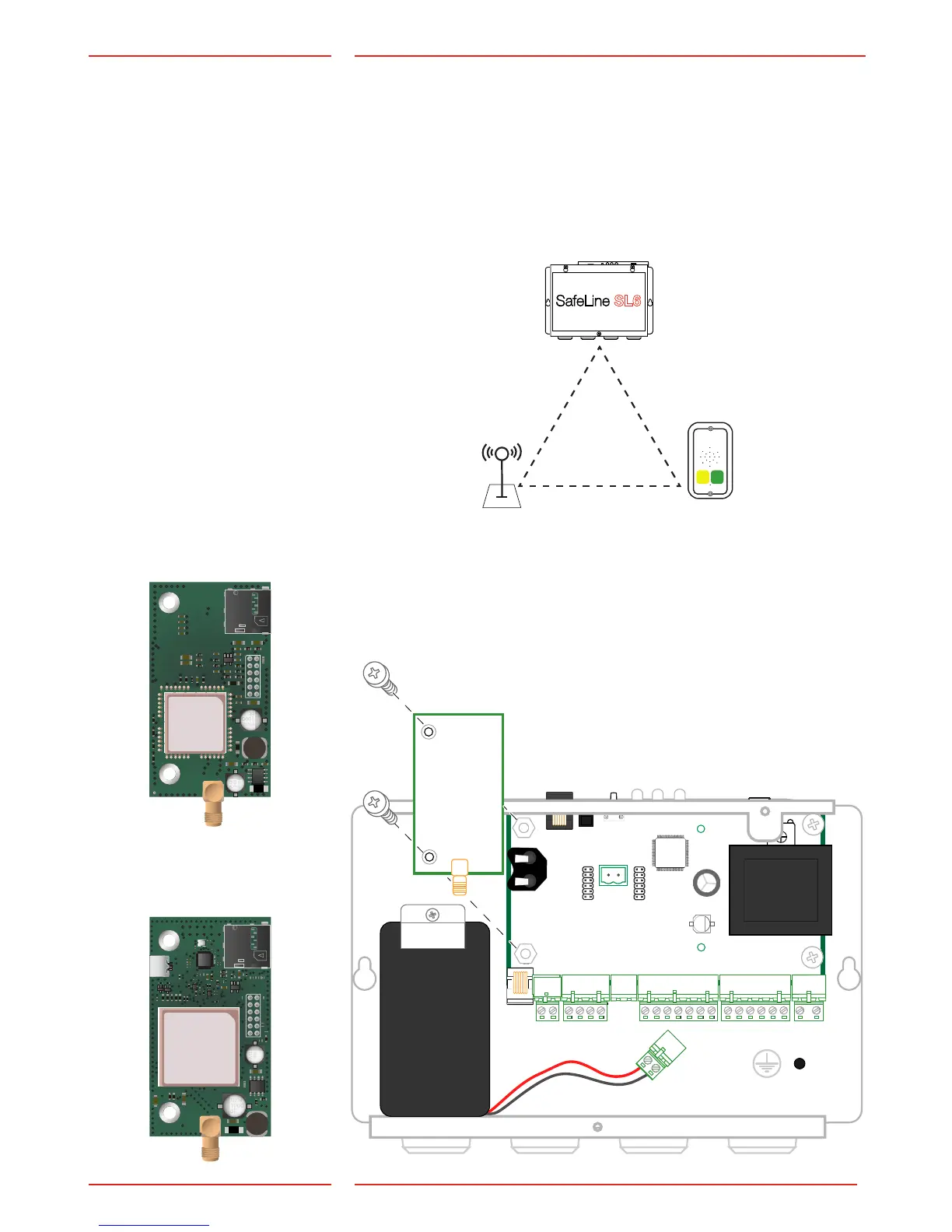
If GSM interface is installed it
has priority. If no active SIM
card is used, GSM interface
should be disabled.
Mounting
Mounting main unit
Install the main unit in the machine room. Mount the SL6 main unit
to a stable sur face (eg. wall, controller cabinet), using appropriate
screws. No termination resistance is needed at the ends of the bus.
To avoid GSM interference: place the main unit, the stations and the
GSM antenna at least 1,5 meters apart. The antenna must be placed
on a metallic (earthed) surface of at least 150x150 mm and be placed
standing (vertical).
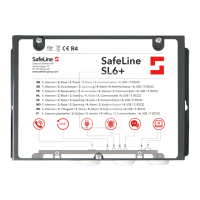
Mounting additional circuit board
Unplug the main power and battery before performing any changes.
Circuit boards that can be mounted are *SL6-GSM-BOARD or
*IF-BOARD-4G (please refer to technical data, page 2, for detailed
information).
*SL6-GSM-BOARD
with Micro SIM Card
*IF-BOARD-4G
with Micro SIM Card


 To Next Page