1
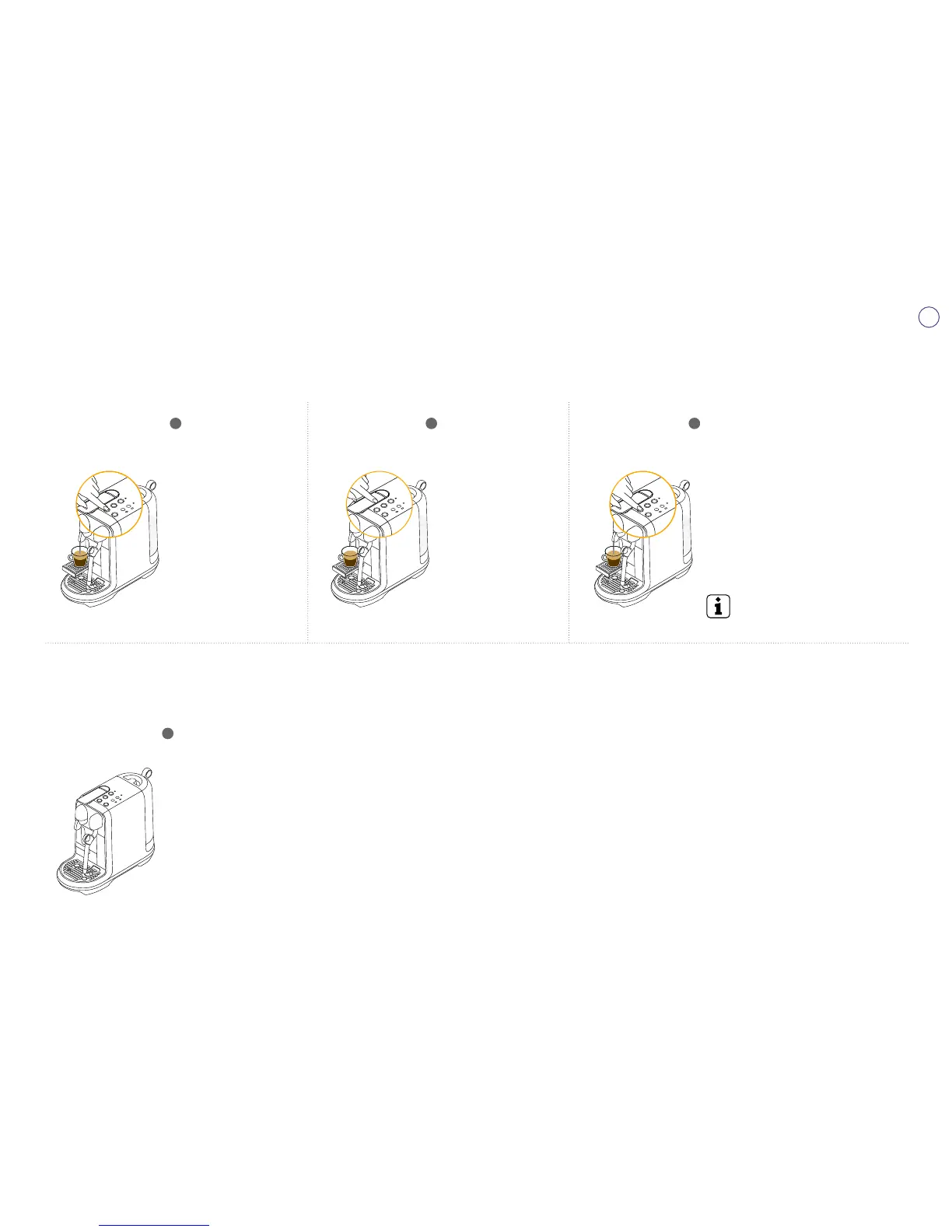
Lift the Lever & insert
your capsule. Press
and hold one coffee
button you want to
adjust among Ristretto,
Espresso, and Lungo.
3
Adjusted coffee volume will be saved for
next use.
2
Release the button after
desirable shot duration.
Adjusting Regular Coffee Drinks
Any coffee can be programmed
1. Ristretto: 15-30ml / 0.5-1oz
2. Espresso: 30-70ml / 1-2.3oz
3. Lungo: 70-130ml / 2.3-4.4oz
Default coffee volumes listed on page 11.
Reset to Factory Settings
1
To reset factory settings:
1. Turn the machine ON.
2. Press and hold the Lungo button and the Ristretto
button for 5 seconds.
3. Press the Lungo button or the Ristretto button to
confirm. Press any button not blinking to exit the mode.
4. After a Factory Reset, the machine will restart in the
Ready Mode.




 To Next Page