INSTALLATION MANUAL
page 33 / 40 3300039745 R11 000 04/735
10. ADJUSTING THE CONTRAST
If you wish to modify the contrast of the characters displayed on the screen, simply press and hold the "Point"
and "
" or "Point" and " " keys as long as necessary to obtain a satisfactory contrast.
11. SERVICING
11.1 SECURITY INSTRUCTIONS FOR OPENING UP THE MACHINE
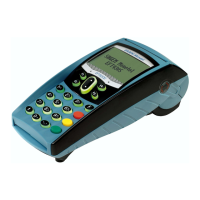
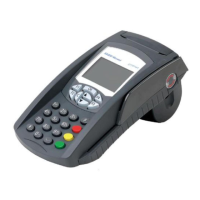
The EFTsmart is a "secure" terminal. It must not be opened by the user.
The joins in the cover flaps are sealed by labels. These must not be torn. They provide proof that the
terminal has not been opened.
Only the paper flap and the SAM cover flap can be opened and closed by the user for routine servicing
described in this manual.
11.2 LITHIUM BATTERY
For the attention of maintenance services
Warning: This device contains a lithium cell battery. There is a risk of explosion if this cell is not correctly
replaced. Replace using only a battery cell that is the same type, or its equivalent as recommended by the
manufacturer.
Discard all used battery cells in compliance with current recycling legislation.
Only trained and authorized technicians are authorized to carry out any servicing for this component.
11.3 CLEANING THE OUTSIDE OF THE TERMINAL
• Remove all cords from the terminal.
• Use a soft cloth that is very slightly soaked with soapy water to clean the outside of the terminal.
12. SHIPPING AND STORAGE
• Use the original packaging whenever shipping or storing the terminal.


 To Next Page