User Manual
19
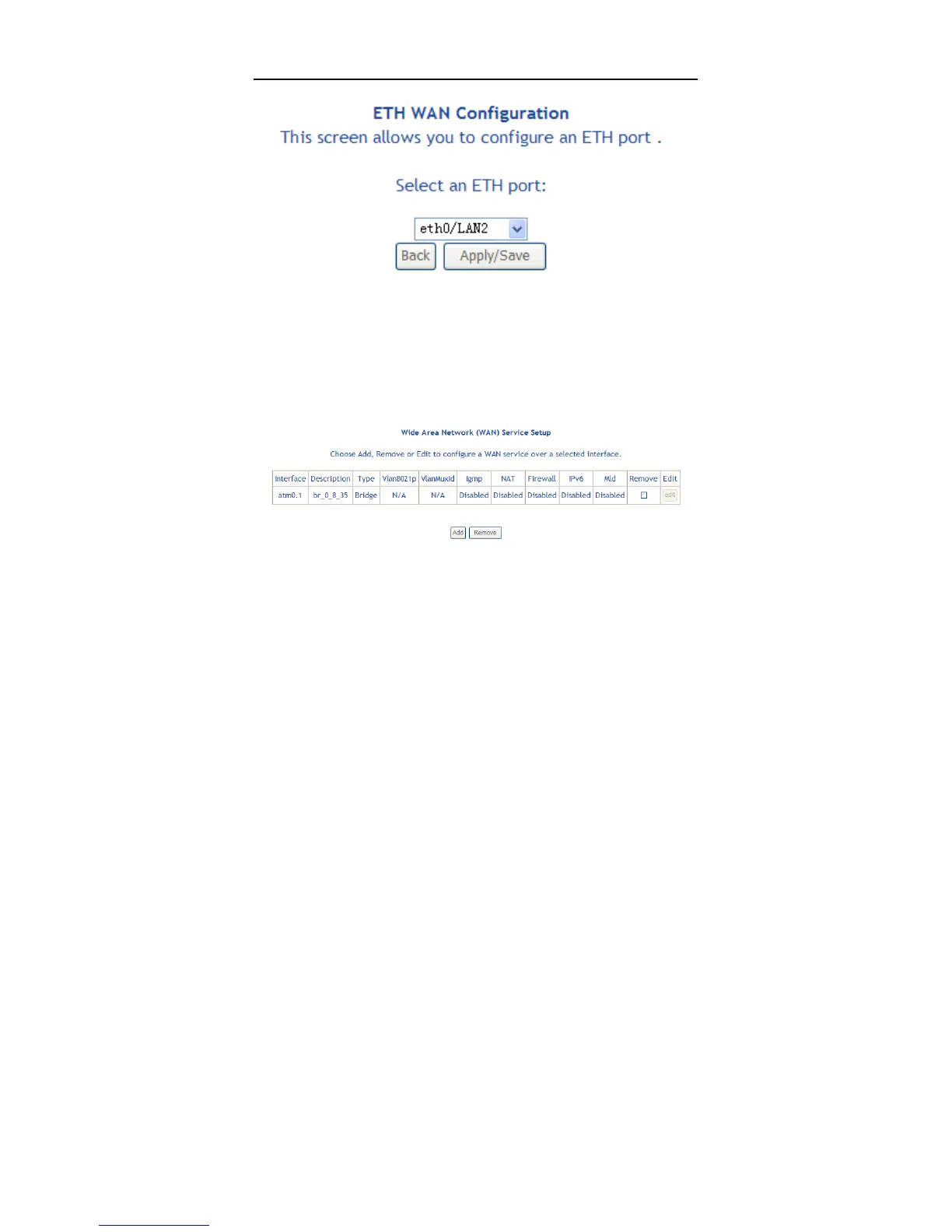
Click Add and the following page appears.
In this page, you can select a ETH port. Click Apply/Save to save configuration.
Note:
If ETH Interface is selected, there are two WAN service types (PPPoE and
IPoE).
5.2.2 WAN Service
Choose Advanced Setup > WAN Service, and the following page appears.
In this page, you are allowed to add, remove, or edit a WAN service.
Note:
If PTM Interface is selected, there are three WAN service types: PPP over
Ethernet (PPPoE), IP over Ethernet, Bridging. And the corresponding
configurations of PTM WAN service are same as the configurations of ATM
WAN service.



 To Next Page