MAX QUICK START GUIDE 10
STEP 1C:
TURN ON MAX
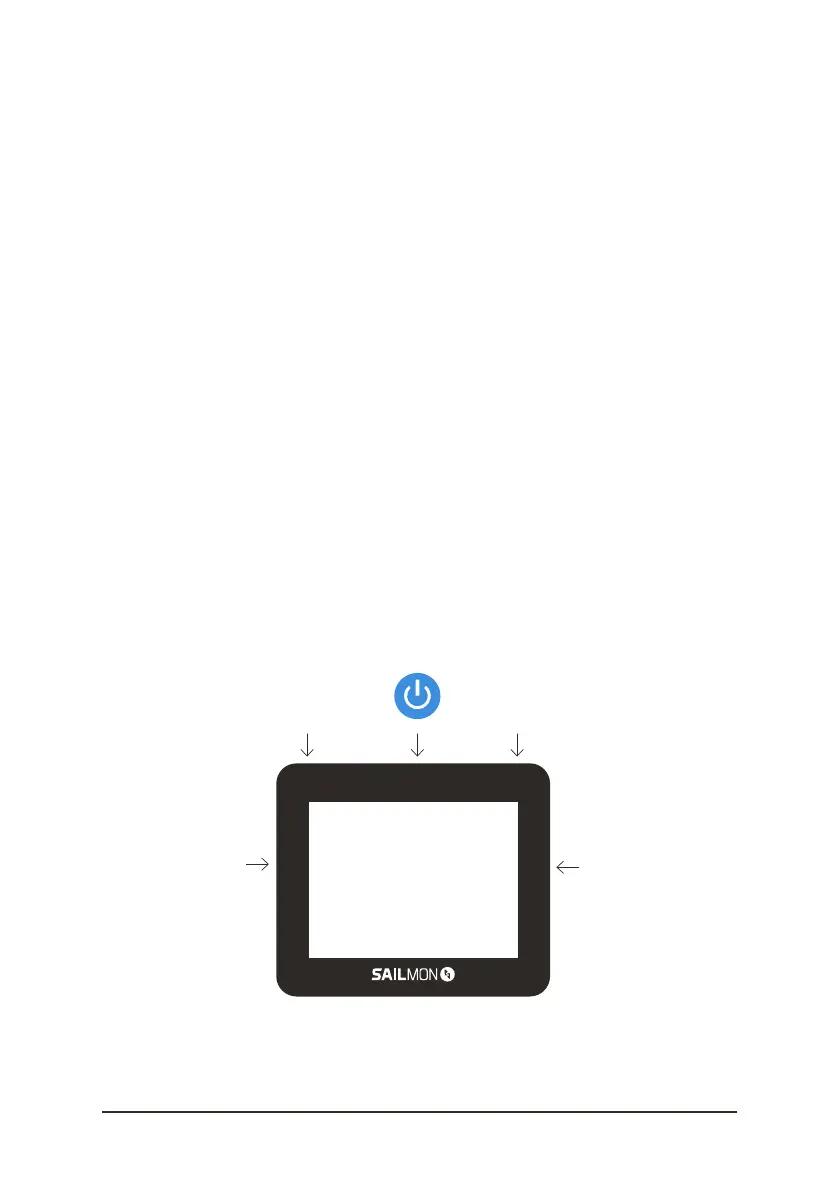
MAX has five buttons: each on one side and three on top. The
functionality of a button can be dierent from screen to screen, but it’s
described or shown clearly on-screen. First, hold the top middle button
to turn on (and turn o) MAX.
Your MAX can show dierent icons in the bottom bar.
TIME : the current time (only shown with GPS connection)
BLUETOOTH : your MAX is connected to Bluetooth (when shown)
WIFI : your MAX is connected to WiFi (when shown)
GPS : your MAX has a GPS signal or not
(cross through satellite)
BATTERY : shows how much battery there is left
* During sailing functionalities of buttons
are described on the screen.
start menu
scroll
up
scroll
down


 To Next Page