16 | EN STOUCH v2019.1
15. AIR FLOW HANDLING TOOL
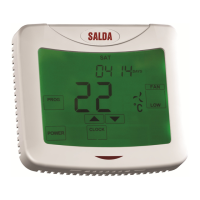
Service menu F.45 is used to adjust air ow for dierent modes. Air ow handling tool operates with
MCB and PRV controllers.
Tool operation instruction:
1. Select desired air ow, what you want to control: SF.1, SF.2, SF.3, SF.4, EF.1, EF.2, EF.3 or EF.4.
(SF and EF determine, for which fan airow will be modied; SF – air supply fan, EF – air exhaust fan.
Number determines speed/mode, for which air ow will be modied).
2. Equipment switches to the mode/speed, what was selected. Value from the controller is shown
on the split screen.
3. By pressing B4 and B6 you may change values (from 0 up to 100%). Fans speed/airow changes
automatically.
4. By pressing B5 you may exit airow handling tool. Adjusted settings are saved on controller.
5. In order to change other airow setting, please repeat steps 1-4.
16. STOUCH CONTROL PANEL AND OTHER MODBUS DEVICES MAY
NOT WORK PROPERLY WHEN PRV AUTOMATION IS ON THE COMPAT-
IBILITY MODE.“COMPATIBILITY MODE” CAN BE TURNED OFF WITH
STOUCH CONTROL PANEL:
1. Go to Service menu item F.40 (Modbus Coil read / write tool). How to enter service interface is
described in Stouch technical manual.
2. Specify address 21 and press “MAX” (indicate “Compatibility mode” Modbus register)
3. Set “0” and press “MAX” (“1” - on, “0” - o)
17. MODBUS SLAVE ADDRESS TABLE
NAME POSSIBLE VALUES TYPE ADDRESS
(HEX)
ADDRESS
(DEC)
Fan control
0: 0..100 %
1: Fixed speeds
2: Based on xed pressures
Holding
register
0x01 1
Switch of locking
0: Not locked
1: Fan always operates at
minimum speed 1
Holding
register
0x02 2
Speed 1 (%) 0 – 100
Holding
register
0x03 3
Speed 2 (%) 0 – 100
Holding
register
0x04 4
Speed 3 (%) 0 – 100
Holding
register
0x05 5
Speed 4 (boost) (%) 0 – 100
Holding
register
0x06 6
Speed 1 (Pa) 0 – 999
Holding
register
0x07 7



 To Next Page