49
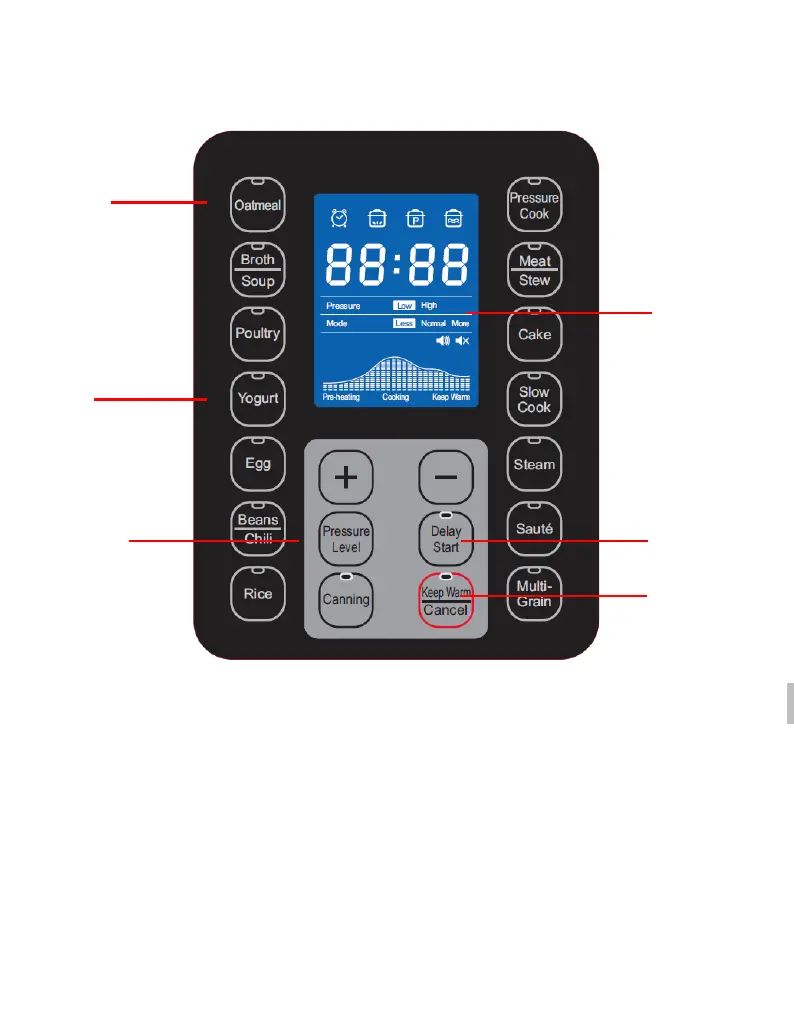
HOW TO USE THE CONTROL PANEL
F
D-F
OOD MENU BUTTONS: Use these buttons to select a Menu function, Press
again to set cooking modes (Less, Normal, More), the pressure cooker will
automatically begin the cooking cycle.
E-YOGURT FUNCTION: Including two steps, Pasteurize and Culture .
F-PRESSURE LEVEL BUTTON: Use this button to select pressure cooking level, Low
Pressure or High Pressure.
D-DELAY START BUTTON: Use this button to program the pressure cooker to begi
n
c
ooking at a later time. This button is used in combination with the Menu.
A
B
C
D
E



 To Next Page