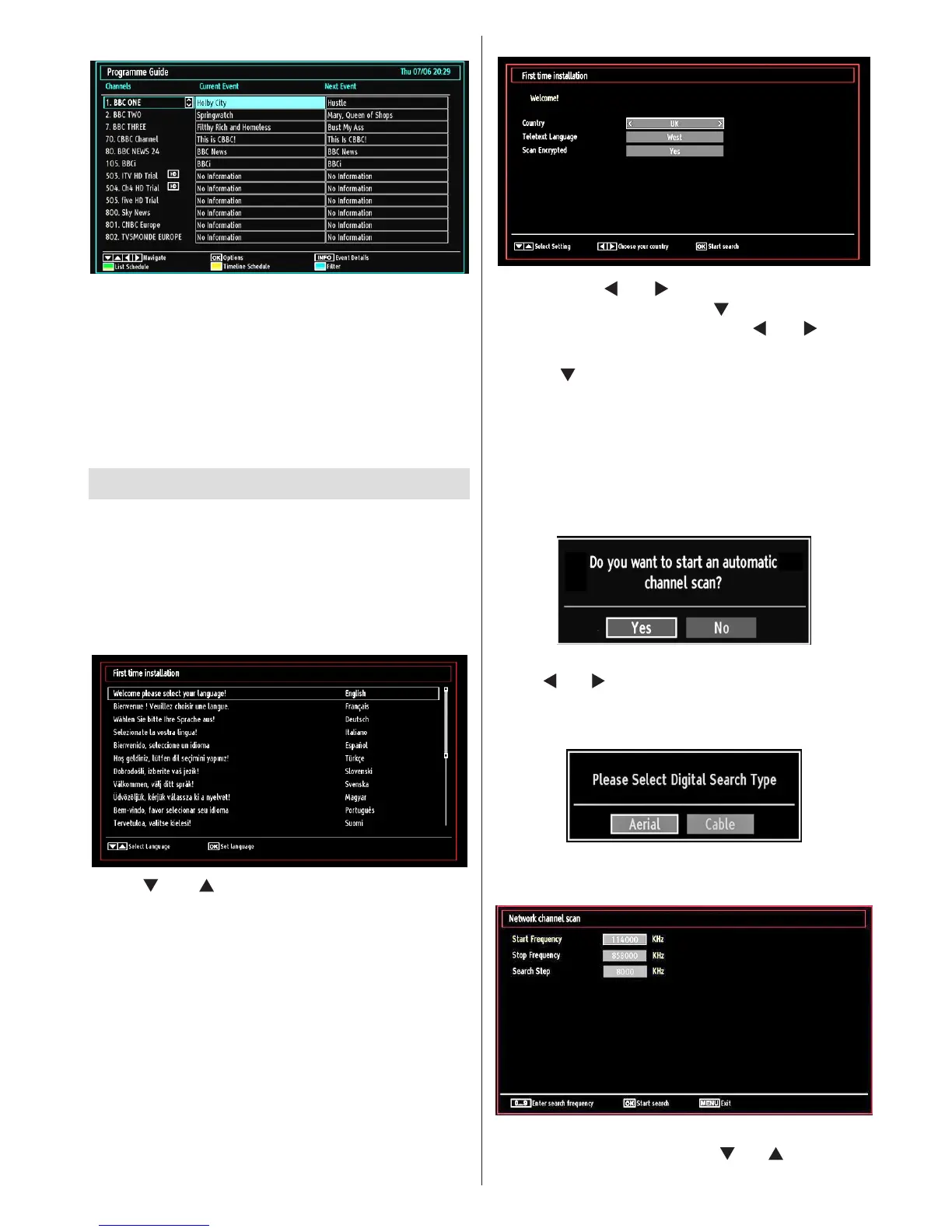
EPG Now and Next
OK (Options): Displays programme options including
“Select Channel” option.
Blue button (Filter): Views ltering options.
INFO (Event Details): Displays the programmes in
detail.
Green button: Programme schedule will be listed
Yellow button: Display EPG data in accordane with
timeline schedule
First Time Installation
IMPORTANT: Ensure that the aerial or cable is
connected before switching on the TV for the rst
time installation.
When the TV is operated for the rst time, the •
installation wizard will guide you through the
process. First, the language selection screen will
be displayed:
Use “• ” or “ ” buttons to select your language
and press OK button to set the selected language
and continue.
After selecting the language, “• Welcome!” screen will
be displayed, requiring you to set Country,Teletext
Language and Scan Encrypted options.
By pressing “• ” or “ ” button, select the country
you want to set and press “ ” button to highlight
Teletext Language option. Use “ ” or “ ” button
to select desired Teletext Language.
Press “•
” button after setting Teletext Language
option. Scan Encrypted will be then highlighted.
You should set the Scan Encrypted as Yes if you
want to scan coded stations.Afterwards select the
desired Teletext Language.
Press • OK button on the remote control to continue
and the following message will be displayed on the
screen:
To select the “Yes” or “No” option, highlight the item by
using “ ” or “ ” buttons and press OK button.
Afterwards, the following OSD will be displayed on
the screen:
If you select CABLE option, the following screen will
be displayed:
You can select frequency ranges from this screen. For
highlighting lines you see, use “ ” or “ ” button. You
can enter the frequency range manually by using the









 To Next Page