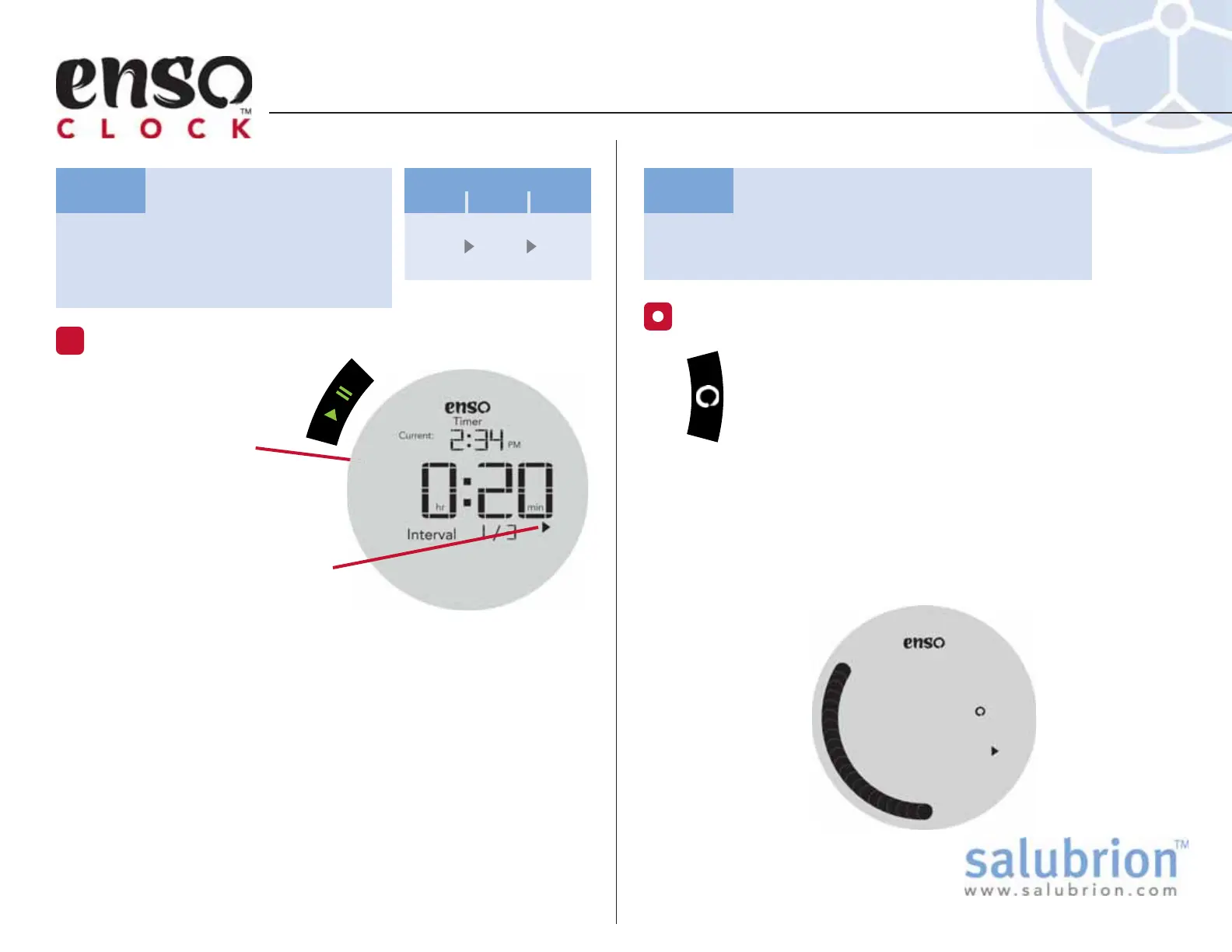
Press the green Play/Pause
button to immediately
start the Timer.
The Enso Ring will
immediately disappear and
then gradually fill in as the
current Interval counts down.
The on-screen pause icon will
disappear and the play icon
will become visible.
Note: the minute display is rounded
up and thus will not decrement until
after the first minute has elapsed.
TUTORIAL: Setting the Timer
TG-EC-100-1.1
Set the following timing
sequence: 20 min, 15 min, 10
min. (3 total Intervals)
Task:
Start the Timer
8
20
min
15
min
10
min
Interval
123
(continued)
Hide the numerical display while the
timer is running.
Task:
When a timer is running, hold down the Enso button
for more than 1 second to hide the numerical display
of the timer, leaving only the Enso Ring visible.
The Enso Ring will continue to appear gradually as
the timer counts down.
Once the display has been hidden, hold down the Enso
button to make the numerical display visible again.
The full numerical display will be visible every time a timer
is started.
Hiding the Numerical Display
Hidden Numerical Display


 To Previous Page