EasyManua.ls Logo

Salus T105RF - User Manual

Salus T105RF
2 pages
Print Icon
To Next Page IconTo Next Page
Loading...
Battery Installation
Your thermostat uses two (2) “AA” size batteries to operate. To power-up
the unit, insert two “AA” batteries into the battery compartment of the
front housing. When power is applied for the first time, the display must
show time and the day as well as the room temperature (for example
28.5°C).
If the display is different, press the RESET button. Use a fine probe such
as straightened paper clip to gently push the RESET button.
After installation of the batteries, push back the rear housing to the con-
trol centre and then the stand. Before turning on the main switch of the
system, press the reset button once. The thermostat is ready for use.
BATTERY REPLACEMENT
It is recommended that the batteries be replaced when the display is
showing the battery-low icon. To replace the battery,
1. Turn off the power of the Receiver first.
2. Remove the back housing and stand of the Desktop Unit.
3. Replace the old batteries with 2 new AA alkaline batteries.
4. Replace the back housing and stand.
5. Press the reset button once and then turn on the power switch of the
Receiver.
Setting Clock
1. Press the SET TIME button to clear all digits except the day indicator
and the time display. The day indicator is flashing.
2. While day indicator is flashing, press UP or DOWN button to adjust.
3. Press the SET TIME button again, hour digits are flashing instead of
day indicator. Press UP or DOWN button to adjust. Press and hold the
UP or DOWN button to speed up the adjustment rate.
4. Press the SET TIME button again, minute digits are flashing instead
of hour digit. Press UP or DOWN button to adjust. Press and hold the
UP or DOWN button to speed up the adjustment rate.
5. Press the SET TIME button again to return to normal operation
mode.
6. The unit will return to normal operation mode if no key is pressed for
15 seconds.
Setting Control Temperature
1. Press the SET TEMPERATURE button to display the pre-defined set
temperature.
2. Press the CONF/ECON button to toggle between the setting of eco-
nomic mode and comfortable mode.
3. Press the UP or DOWN button to increase/decrease the set tempera-
ture by 0.2°C.
4. Press the SET TEMPERATURE button again to save the set tempe-
rature.
5. The unit will return to normal operation mode if no button is pressed
for 15 seconds.
6. The default setting of comfortable mode is 21°C for heater mode and
23°C for cooler mode. The economic mode is 18°C for heater mode
and 26°C for cooler mode.
SETTING PROGRAM
i) Select Week-Day
1. Press the SET PROGRAM button, the day indicator shows the pro-
gram day and is flashing. Program number indicator shows the current
program for the selected day.
2. Press the UP or DOWN button to select the day needed to program.
You can select the whole week, working day, weekend,or individual
day to program.
Receiver
- Linked with Control Centre via RF.
- Powered by line voltage only. No battery required.
- Two LED indicators for power and output status.
INSTALLATION OF RECEIVER
Caution:
1. The appliance can only be mounted indoors and in areas free from
any water or moisture.
2. A suitable fuse with a rating not exceeding 13A, should be in the power
line.
3. Observe the national regulations for wiring.
4. .gnicivres dna noitallatsni rof dednemmocer si naicirtcele deilauq A
This thermostat has been designed for simple and quick installation
requiring only a few tools. Only the Receiver needs to be installed.
Required Tools
• Hammer • Masking tape • Screwdriver
• Drill and 3/16” drill bit (if not installed on a junction box)
RF Address Code Setting
If there is another user nearby, e.g. in the next house, your receiver
maybe fault triggered by their transmitter. You may select a different RF
address code to prevent this. Receiver can only response to RF coding
with the same address code setting as its own address code.
1. To adjust address code of Control Center Receiver, simply left or right
of the 5 dip switch levers.
2. To adjust address code of Control Centre, open the housing of the
transmitter unit. See battery replacement section on how to open the
housing.
Caution:
1. Address code of Control Centre must be the same as address code
of Receiver. For any on position of address code # in Control Centre,
the same address code # of Receiver must be switched to ON.
2. Disconnect AC power and remove batteries prior to adjusting address
code.
Removing your old thermostat
CAUTION : to avoid electric shock, isolate the power of the heating/
cooling system at the main power box in your home. Read the following
instructions carefully before disconnecting the wires.
1. Turn off your old thermostat.
2. Remove the cover from the old thermostat.
3. Unscrew the old thermostat from the wall plate.
4. Now find the screws attaching the wall plate to the wall, and remove
them. You should now be able to pull the wall plate a small distance from
the wall. Do not disconnect any wire yet, simply locate the wires.
WARNING: After removing the wall plate, if you find that it is mounted on
a junction box (e.g. a box similar to one behind a light switch or electric
outlet), high voltage circuit may be present and there is a danger of
electric shock. Please consult a qualified electrician.
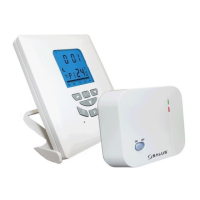
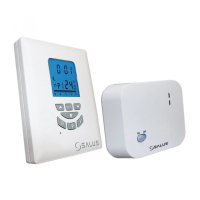
T105RF – WIRELESS THERMOSTAT
INTRODUCTION
This thermostat can replace most common residential thermostats and
is designed to be used with electric, gas or oil heating control system or
cooling system. Unlike ordinary single unit design thermostats, this unit
is a new type of thermostat separating the thermostat function into two
units. The Receiver serves for wiring connections and heat/cool on/off
control. The Control Centre serves as user interface and temperature
sensing/control. The two units are linked by RF.
The advantage is that users can put the Control Centre nearby and can
read/control the temperature of the living area.
SPECIFICATION
Clock accuracy: +/ - 60 seconds/month
Temp. measurement: 0°C to 40°C in 0.2°C resolution
Temp. accuracy: +/ - 1°C at 20°C
Temperature Control: 7°C to 30°C in step of 0.2°C
Span: 0.4, 0.8 ,1.4 or 1.8°C
Air conditioner cycle time: 3 minutes
Operation temperature: 0°C to 40°C
Storage temperature: -10°C to 60°C
Power Source: Control Centre 2 AA (LR6) batteries
Receiver: 230VAC 50Hz 16A resistive, 5A inductive
Size and Weight: Control Centre 116 x 100 x 23.5mm, 126g
Receiver: 128 x 97 x 37mm, 190g
Frequency: 868 Mhz
Features
Several useful functions and operating modes have been incorporated
to suit a variety of customer needs besides all the features associated
with the state-of-the-art programmable thermostat.
Choosing a Location
Note: for a new installation, choose a mounting location about five feet
(1.5 metres) above the floor in an area with good air circulation and
away from:
1. Drafts.
2. Air ducts.
3. Radiant heat from the sun or appliances.
4. Concealed pipes and chimneys.
Mounting the Receiver onto the wall/junction box
1. Remove the back plate from the Receiver.
2. Mark the holes position.
3. Drill two holes and insert the plastic anchors carefully into the holes,
fasten the back plate to the wall with 2 screws.
4. Connect the wires - see wiring diagram.
5. Push on the wires in the wall.
6. Securely fasten the Receiver to the back plate.
WIRING DIAGRAM
RECEIVER WIRING TERMINALS
Terminal Identifier Description
1 NO Normally Open [N/O]
2 COM Linked Live feed (230V AC heating applications
only)
3 L Live feed (230V AC)
4 N Neutral
SETTING OF CONTROL CENTRE
Heater/Cooler Selection
Before making any selection in the
control centre, its back housing must
be removed as follows: Inside the
Control Centre after the back housing
is removed, you can find the DIP
switch.
These three switches are used to
control the span and heat/cool sys-
tem. Set the DIP switch (position 3)
according to your selection of heater
system or cooler system as the fol-
lowing diagram.
Temperature Span Selection
Span is the temperature difference between the turn on temperature
and turn off temperature. For example, in heating systems, if you set
temperature to 20°C and span to 0.8°C, the heater will operate when the
room temperature drops to 19.2°C and turns off when the temperature
rises to 20.8°C. Set the DIP switch (position 1 & 2) according to your
selection of temperature span as the following diagram.
12Span
ON ON 0.4ºC
OFF ON 0.8ºC
ON OFF 1.4ºC
OFF OFF 1.8ºC
GB
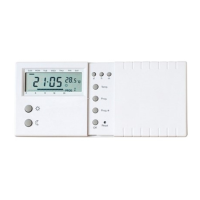
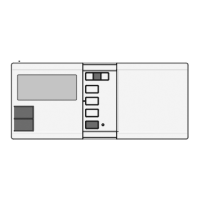
Day Indicator
Heat/Cooler On Icon
Comf. Icon
Econ. Icon
Program Number
Manual Override Icon
Up Button
Set Time Button
Reset Button
Clock
Anti-freezing icon
Battery Low Icon
Temperature
Control Profile Bar
Comf/Econ Button
Down Button
Backlight
Set Temperature Button
Set Program Button
On : HeaterOn
Off : Cooler
Remove
the front
housing
Push and hold
internal lock by
a screw driver
On
back
housing
Align the hinge
front
housing
Control Centre
- Can be placed anywhere in the
home to detect and control the
temperature of an area of the
user’s choice. Not limited by power
control wiring locations.
- Link with the Receiver via RF.
Control distance 70M open site
- LCD shows the “need to know”
information only, which is easier to
understand.
- Real time clock with day of the
week display
- Room temperature display
- Control profile display
- Simplified temperature adjust-
ment - Simplified programming
procedure
- 6 pre-defined control profiles,
3 user programmable control
profiles
- Protection against freezing
- Temporary set-temperature
override
- User selectable temperature
span; User selectable heater/
cooler operation mode
- Slim housing design
- EL backlight
OFF
OFF
ON
ON
1
2
3
4
5
ON
12345
123
Set the address Code
#1 - #5 to ON or OFF
position
CONTROL CENTRE RECEIVER
NO COM
230V~
50Hz
16(5)A
LN
LN

T105RF with Guarantee.qxp_Layout 1 17/02/2015 13:30 Page 1
Question and Answer IconNeed help?

Do you have a question about the Salus T105RF and is the answer not in the manual?

Summary

Introduction and Specifications

Key Features

Highlights several useful functions and operating modes incorporated into the thermostat.

Receiver Unit and Installation

Receiver Installation

Instructions for installing the receiver unit, including choosing a location and wiring.

Receiver Wiring Terminals

Details the wiring terminals for the receiver unit, specifying connections for live feed and neutral.

Battery Management

Battery Installation

Steps for installing the two "AA" size batteries into the thermostat's battery compartment.

Battery Replacement

Steps for replacing the batteries when the battery-low icon is displayed.

Control Centre Configuration

Heater;Cooler System Selection

Explains how to set the DIP switch for selecting between heating and cooling system modes.

Temperature Span Settings

Details how to set the temperature span using DIP switches for precise control.

Setting the Clock

Instructions on how to set the real-time clock and day indicator on the control centre.

Setting Control Temperature

Guide to adjusting the desired set temperature and toggling between comfort and economic modes.

Programming the Thermostat

Instructions for programming the thermostat, including selecting days and control profiles.

Operational Modes and Features

RF Transmission Range Testing

Procedure to test the wireless transmission range between the control centre and receiver.

Temporary Temperature Override

How to temporarily override the current operation mode or set temperature.

Anti-Freezing Mode Function

Explains how to activate the anti-freezing mode and its function for protecting the system.

Backlight Usage

How to activate and use the backlight function on the control centre display.

Receiver Power Switch

Information about the power switch on the receiver and its recommended usage.

Receiver LED Indicators

Describes the meaning of the two LEDs on the receiver indicating power and heating/cooling status.

SALUS 2-Year Guarantee

Contact and Support Information

Provides contact details for SALUS Controls plc for support and inquiries.

Summary

Introduction and Specifications

Key Features

Highlights several useful functions and operating modes incorporated into the thermostat.

Receiver Unit and Installation

Receiver Installation

Instructions for installing the receiver unit, including choosing a location and wiring.

Receiver Wiring Terminals

Details the wiring terminals for the receiver unit, specifying connections for live feed and neutral.

Battery Management

Battery Installation

Steps for installing the two "AA" size batteries into the thermostat's battery compartment.

Battery Replacement

Steps for replacing the batteries when the battery-low icon is displayed.

Control Centre Configuration

Heater;Cooler System Selection

Explains how to set the DIP switch for selecting between heating and cooling system modes.

Temperature Span Settings

Details how to set the temperature span using DIP switches for precise control.

Setting the Clock

Instructions on how to set the real-time clock and day indicator on the control centre.

Setting Control Temperature

Guide to adjusting the desired set temperature and toggling between comfort and economic modes.

Programming the Thermostat

Instructions for programming the thermostat, including selecting days and control profiles.

Operational Modes and Features

RF Transmission Range Testing

Procedure to test the wireless transmission range between the control centre and receiver.

Temporary Temperature Override

How to temporarily override the current operation mode or set temperature.

Anti-Freezing Mode Function

Explains how to activate the anti-freezing mode and its function for protecting the system.

Backlight Usage

How to activate and use the backlight function on the control centre display.

Receiver Power Switch

Information about the power switch on the receiver and its recommended usage.

Receiver LED Indicators

Describes the meaning of the two LEDs on the receiver indicating power and heating/cooling status.

SALUS 2-Year Guarantee

Contact and Support Information

Provides contact details for SALUS Controls plc for support and inquiries.

Overview

The Salus T105RF is a wireless thermostat system designed to provide efficient and convenient temperature control for residential heating or cooling systems. Unlike traditional single-unit thermostats, this system separates the thermostat function into two distinct units: the Receiver and the Control Centre. This innovative design allows for greater flexibility in placement and user interaction.

Function Description

The Receiver unit serves as the central wiring hub for your heating or cooling system. It is powered by line voltage and does not require batteries. Its primary function is to receive wireless commands from the Control Centre and then activate or deactivate the connected heating or cooling device. The Receiver features two LED indicators: a red LED that illuminates when the unit has power, and a green LED that lights up when the heating/cooling device is actively energised. This unit is designed for indoor mounting, away from water or moisture, and requires a suitable fuse with a rating not exceeding 13A. Installation involves securely fastening the back plate to a wall or junction box, connecting the system wires according to the provided diagram, and then attaching the main Receiver unit. The Receiver communicates with the Control Centre via RF (Radio Frequency) signals. To prevent interference from other nearby wireless devices, the Receiver's RF address code can be adjusted using a set of dip switches. It is crucial that the address code on the Receiver matches that of the Control Centre for proper communication.

The Control Centre unit acts as the user interface and temperature sensing/control component. It is battery-powered, using two "AA" size batteries, and can be placed anywhere in the home, allowing users to monitor and control the temperature of their preferred living area without being restricted by power control wiring locations. This unit communicates with the Receiver wirelessly, offering a control distance of up to 70 meters in open areas, though this distance may be shorter indoors due to obstructions like concrete walls. The Control Centre features an LCD display that shows essential information such as the real-time clock with day of the week, room temperature, and the current control profile. It includes several buttons for user interaction: Up, Down, Set Time, Set Temperature, Set Program, and Comf/Econ. The display also features various icons indicating the heat/cooler mode, comfort/economy settings, program number, manual override, day, clock, anti-freezing status, and battery-low warnings. A backlight feature can be activated for improved visibility in low-light conditions.

Usage Features

The Salus T105RF offers a range of features designed to enhance user convenience and energy efficiency:

  • Temperature Control: Users can set the desired temperature within a range of 7°C to 30°C in 0.2°C increments. The system also allows for the selection of a temperature span (0.4, 0.8, 1.4, or 1.8°C), which defines the temperature difference between the turn-on and turn-off points of the heating/cooling system.
  • Heater/Cooler Selection: The Control Centre can be configured for either heating or cooling operation via a DIP switch located within the unit's back housing.
  • Clock Setting: The system includes a real-time clock with day display, which can be easily set using the Set Time button and Up/Down buttons.
  • Programmable Profiles: The thermostat offers six pre-defined control profiles (Whole day Comfort, Whole day Econ, Holiday, Whole day (A), Whole day (B), Half-day work) and three user-programmable control profiles. Users can select specific days or groups of days (whole week, working day, weekend, or individual day) to apply these programs, allowing for automated temperature adjustments throughout the week.
  • Temporary Override: Users can temporarily override the current operation mode or set temperature. This is indicated by a "HAND" icon on the display. The system will revert to normal operation mode after a period of inactivity or by pressing certain buttons.
  • Anti-Freezing Mode: For heating systems, an anti-freezing mode can be activated by simultaneously pressing the Up and Down buttons. This mode maintains a default set temperature of 7°C to prevent pipes from freezing, indicated by an anti-freezing icon and the "HAND" icon.
  • Simplified Adjustment and Programming: The system is designed for ease of use, featuring simplified temperature adjustment and programming procedures.
  • EL Backlight: The Control Centre's display includes an EL backlight for better visibility in various lighting conditions.

Maintenance Features

  • Battery Replacement: The Control Centre operates on two "AA" batteries. The display will show a battery-low icon when replacement is needed. To replace batteries, the power to the Receiver should be turned off first, then the back housing and stand of the Control Centre removed, old batteries replaced with new alkaline ones, and finally the unit reassembled. A reset button press is recommended after battery replacement.
  • RF Address Code Adjustment: If interference occurs from other nearby wireless devices, the RF address code of both the Receiver and Control Centre can be adjusted to a different setting. This involves accessing dip switches within both units. It is crucial to disconnect AC power and remove batteries before adjusting address codes.
  • Power Switch: The Receiver includes a power switch, allowing users to turn off the heating/cooling device when not in demand, such as during holidays, which can contribute to energy saving.
  • Reset Button: A reset button is available on the Control Centre to clear the display and restore default settings if needed, particularly after initial power-up or battery replacement.

Salus T105RF Specifications

General IconGeneral
Frequency868 MHz
DisplayLCD
MountingWall Mounted
Power SupplyBattery Powered
CommunicationWireless
Programming7-day
Remote ControlYes

Related product manuals