21
SAMIX GmbH
Operation
6 Operation
6.1 Control panel and display
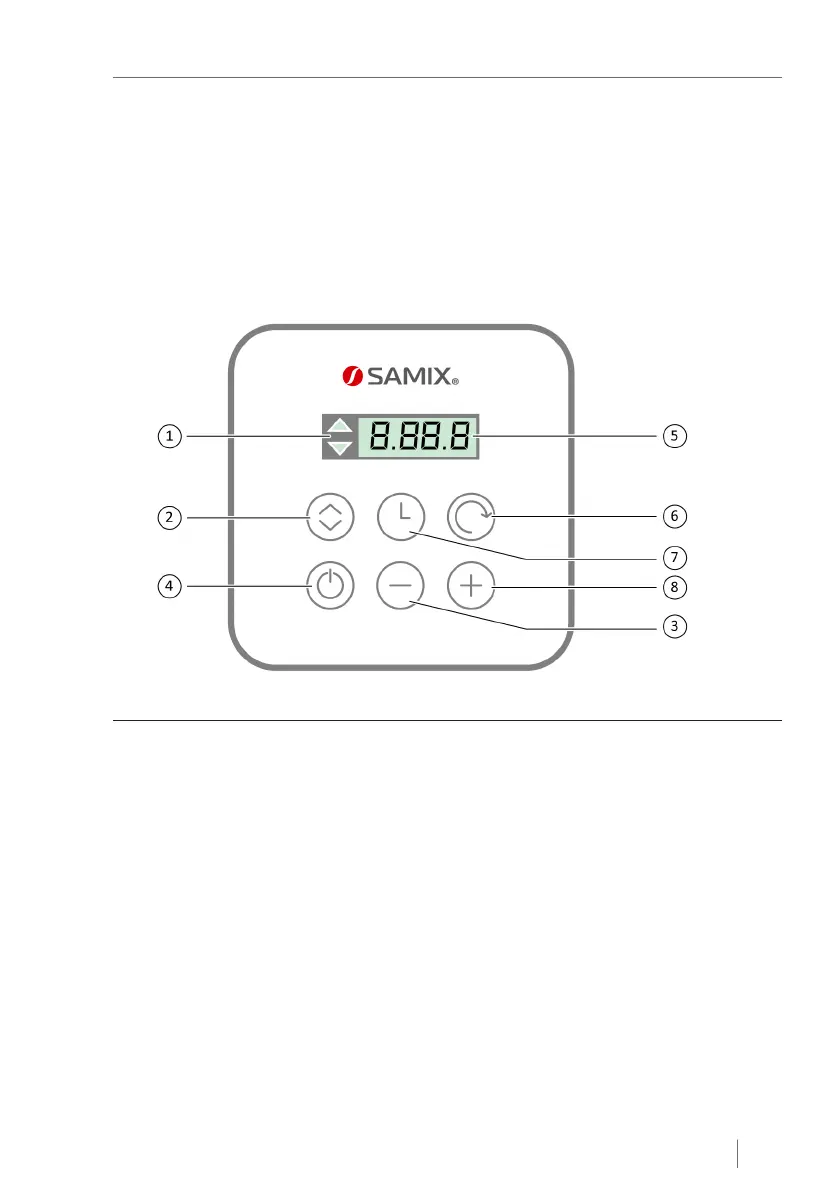
For manual control of the SAMIX
®
ES500, there is a display and control panel on the
front of the device with six buttons "AUTO/MANUAL", "Time", "Speed", "-", "+" and
"Start/Stop" (see Fig. 7).
Fig. 7: Control panel and display
1 Display of the operating mode (light) 5 Display
2 "AUTO/MANUAL" button 6 "Speed" button
3 "-" button 7 "Time" button
4 "Start/Stop" button 8 "+" button


 To Next Page