8 | SAMLEX AMERICA INC. SAMLEX AMERICA INC. | 9
10.
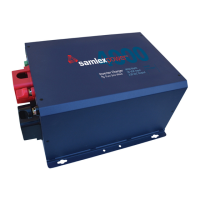
Switch on the EVO
TM
Inverter Charger. Refer to Section 6 starting at page 109 of
the EVO
TM
Owner’s Manual
• Press and hold the ON/OFF Button.
• Green LED labeled “ON” will flash 3 times, will go off momentarily, then resume ON
steady. Now release the ON/OFF Button (This procedure takes around 2 sec).
• If the EVO does not start immediately, switch OFF the DC and AC power.
• Investigate the cause of the malfunction by referring to “Fault Messages and
Troubleshooting Guide” in Table 7.1 of Section 7 of the EVO-RC Owner’s Manual.
INFO
The optional EVO-RC Remote Control provides the user with the ability to modify the EVO
TM
Inverter
Charger’s operating parameters. The default settings in EVO
TM
Inverter Charger are adequate for some
installations but may have to be modied for others. It is strongly recommended that the user review the
EVO
TM
Owner’s Manual/ EVO-RC Remote Control Manual before putting any load or charging batteries.
11. Your EVO
TM
inverter Charger is delivered with various default congurations
The default values will depend on the model you have. Refer to Section 6.4.1 starting
at Pages 113 through 117 for a listing of programmable parameters and factory default
values. The Remote Control EVO-RC can be used to change these values.
12. The following parameters are the very basic parameters which may require
modication depending on your conguration:
• Date and time
• Charging Voltages (Absorption, Equalization, Float)
• Charging current
• Power Saving Function
CAUTION!
If you are not sure of what parameters you need to change or what values to change to, consult your
point of purchase or call Samlex Tech Support. You should also consult a Certied Electrician who is
familiar with Local and National Electrical Codes to ensure a safe and code compliant installation.
EVO INVERTER/CHARGER | Quick Start Guide


 To Next Page