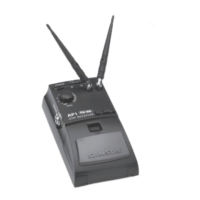
8. Turn on your transmitter. The “Power/ RF” LED on the AR1 should change color from red to green, indicating that it is receiving
valid RF signal and is placed and positioned correctly.
9. Turn on your connected amplifier and/or mixer but keep its volume all the way down. If you are using an AL1 or AH1 transmitter,
make sure that it is unmuted. Set the Volume knob on the AR1 fully clockwise; this is unity gain. If you are using an AL1 transmitter
with the built-in microphone, correct placement is critical to sound quality. It should be unobstructed by clothing and either clipped
to a shirt pocket or lapel, or worn around the neck on the supplied lanyard.
10. Speak or sing into your mic at a normal performance level while slowly raising the audio input control of your amplifier or mixer
until the desired level is reached. If necessary, use the supplied plastic screwdriver to adjust the transmitter’s Gain trimpot in order to
increase or decrease its signal level.
11. Do a walkaround through the intended area of coverage while observing the AR1’s “Power/RF” LED; it should be lit steadily green
in all areas of coverage. Reposition it (or its antenna) as necessary. If extended range coverage is required, a Samson UR1 true
diversity receiver (set to the same channel) can be substituted.
12. If you hear any spurious noise from the AR1 output when the transmitter is turned off, use the supplied plastic screwdriver to
adjust the AR1 Mute (squelch) level control, slowly turning it clockwise until the point at which the noise disappears.
3
Samson AirLine
QuickStart
ENGLISH






 To Next Page