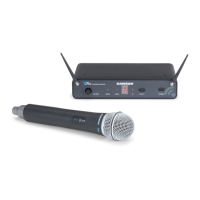
1: XLR connector - Connect this standard female XLR connector
into any standard wired dynamic microphone in order to make it
a wireless mic.
2: Rubber gasket - If necessary, use this provided rubber gasket
in order to make a solid connection between the AX1 XLR
connector and your microphone (note that not all microphones
require its use).
3: Power on-off switch - Move this switch in the direction of the
arrow to turn power to the AX1 on; move it away from the arrow
to turn power off. (to conserve
battery power, be sure to turn the
AX1 off when not in use). Be sure
to mute the audio signal at your
external mixer or amplifier before
turning the AX1 power on or off, or
an audible pop may result.
4: Power / Battery LED - This LED
flashes once when the AX1 is first
turned on and lights steadily red
when there is less than 2 hours of
battery power remaining, indicating
that the battery needs to be
6
Samson AirLine
Guided Tour - AX1 Handheld Transmitter
ENGLISH







 To Next Page