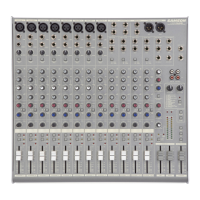
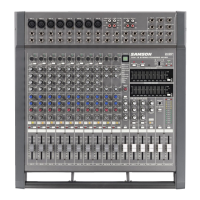
The following section explains the basic operation of the MDR16.
CONNECTING MICROPHONES AND
1. Before connecting mics or instru-
ments, make sure that the power
of all your system's components
including the MDR16 is turned off.
Also, make sure that the Left and
Right MIX faders are turned all the
2. Connect the cables to your micro-
phones and instruments, and
insert the other end of the cable
firmly into the appropriate input
When connecting a microphone to
channels 1 through 8, it’s a good idea
to start with the Gain Control turned
all the way down. Set the input fader
to the "0" position and slowly raise the
GAIN control until you see the CLIP LED
turn on. Now, back the GAIN control
down so that the CLIP LED only lights
for a short time during the loudest
input the channel will see
3. Switch on the power of any
peripheral devices, and then
It is important to remember the Golden Rule of audio …
. Translated, this means that
when turning on your system, you should always turn your power amplifiers or powered monitors on LAST, and when
turning your system off, turn your power amps off FIRST. This helps avoid any loud pops caused by rush current at power
up, which can sometimes damage loudspeakers.
4. Turn on your power amp or powered monitors and raise the level control to the manufacturers' recommended oper-
5. Set the Left and Right MIX faders in the MDR16’s master section to the "0" position.
6. While speaking into the mic (or playing the instrument), adjust the channel Fader control so that the "0" LED of the
MAIN section peak level meter lights occasionally.
7. You can shape the tone of each channel by adjusting the equalizer controls as desired.


 To Next Page