15
The general procedure for setting up and using your UHF Series
System is basically the same regardless of whether you are using a
UT-4 or UH-4 transmitter:
1. Remove all packing materials (save them in case of need for future
service) and mount the supplied “A” and “B” antennas to your receiver
by inserting the BNC connector and twisting clockwise until snug.
2. Connect the transmitter antenna by inserting the wire and turning it
clockwise until snug.
3. If you are using the UT-4 beltpack transmitter, make the physical
connection between its 6-pin plug and the lavalier microphone, headset
microphone or instrument you are using
(be sure to correctly set the
“MIC/GTR” switch). Because the 6-pin plug is “keyed,” you’ll need to
rotate it a certain way to get it to “mate” with the connector mounted on
the UT-4; then push straight down until you hear a click. To remove the
6-pin connector, lift up the outer sleeve and pull straight out (do not use
force!). We recommend that you never pull on the wire, only the plug
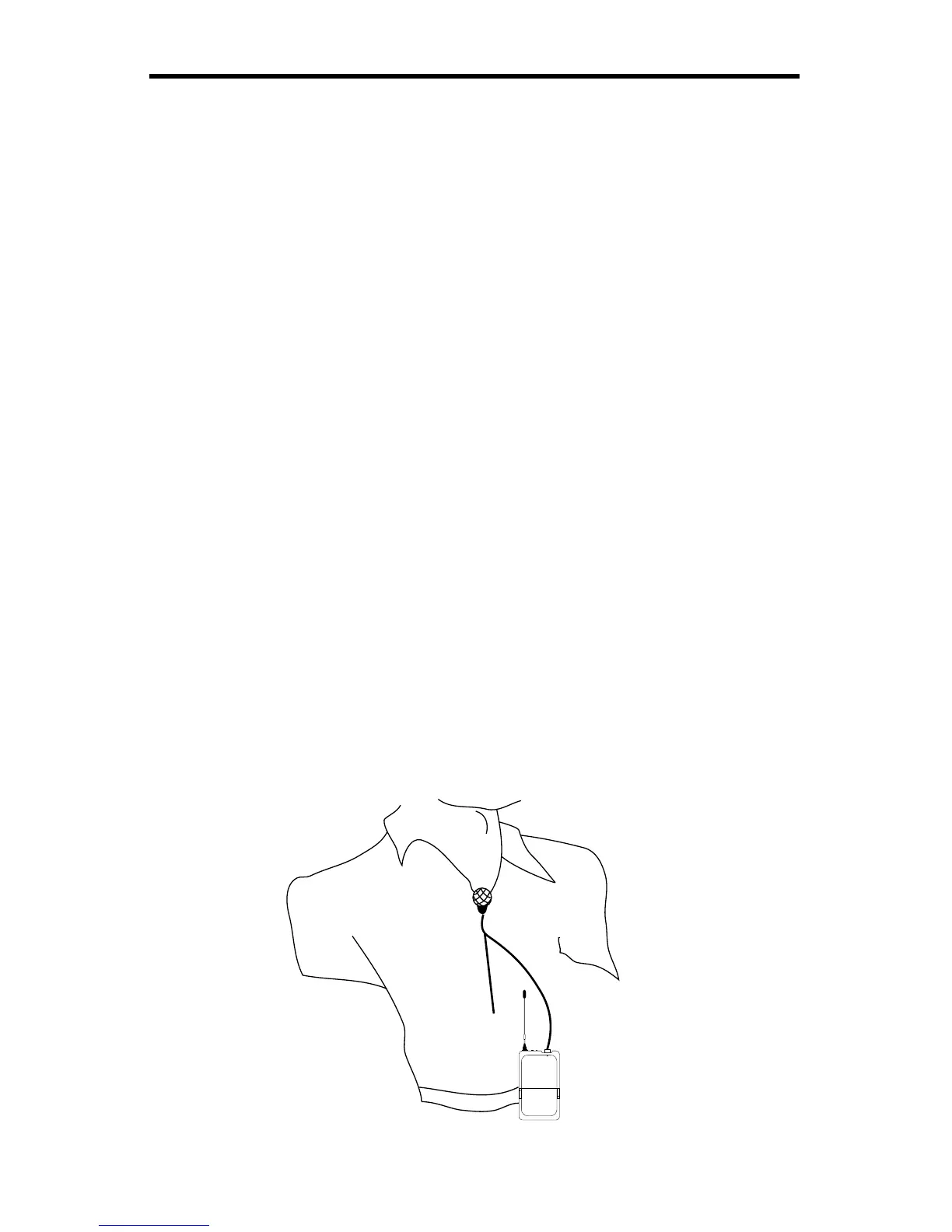
itself (with the outer sleeve lifted). If you are using a lavalier micro-
phone, correct placement is critical to sound quality. We recommend
that you place it as shown in the illustration below—as close to your
mouth as possible but off to one side (to minimize nasality) and



 To Next Page