Owner's Manual
17
XML POWERED MIXERS
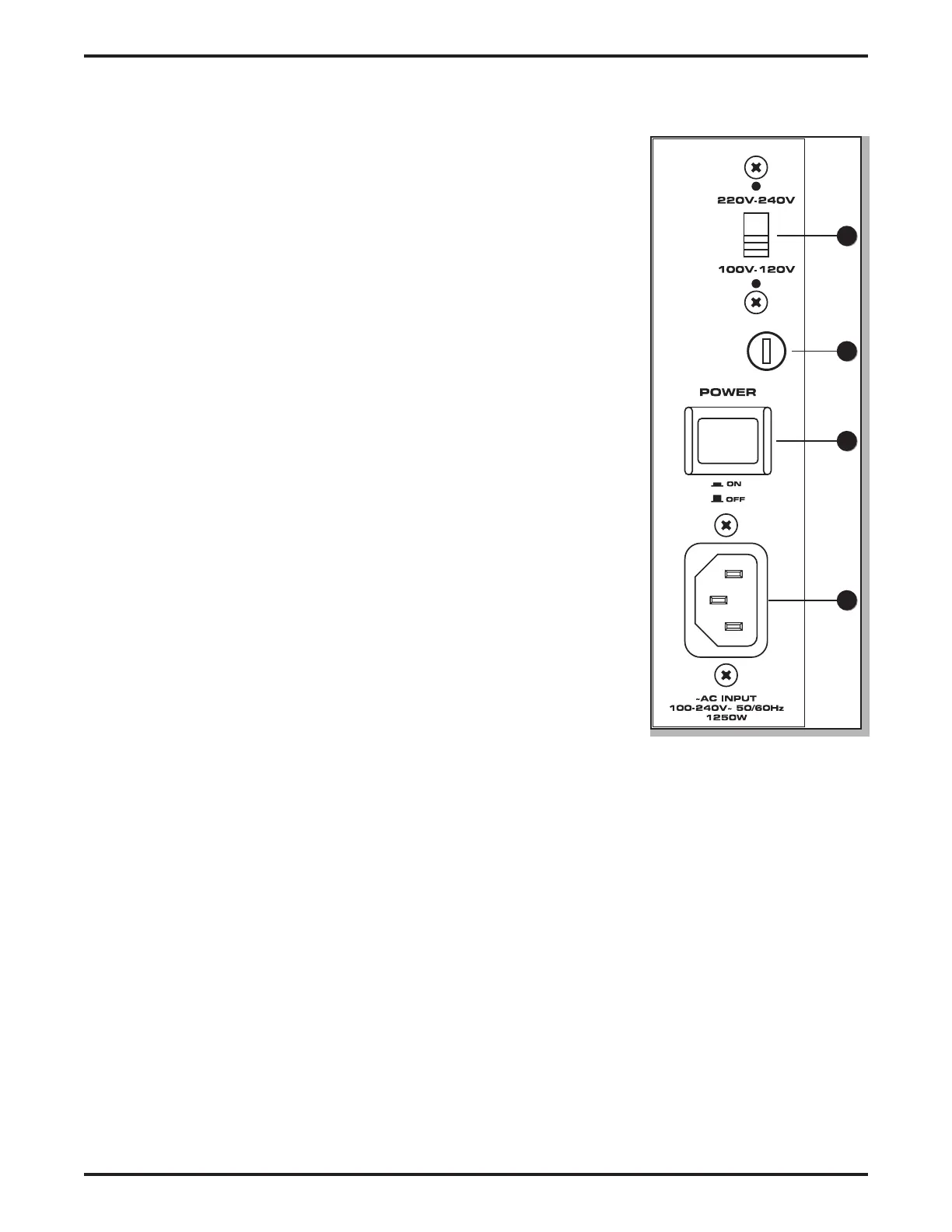
XML Series Rear Panel
50
49
48
47
47. VOLTAGE SELECTION Switch - This switch is used to select the amplier’s
operating voltage.
NOTE: If you are changing the position of this switch, be sure it is set to the
correct voltage for your country, and that the correct fuse is installed.
48. Fuse Cover - The fuse is located behind the fuse cover. Always replace fuses
with the same type of fuse.
49. POWER Switch – This is the primary power switch. When set to the ON posi-
tion, the front panel POWER LED illuminates, indicating the XML mixer is
powered up and ready for operation.
50. AC INPUT - Connect the supplied IEC power cable here.


 To Next Page