46
Using the LCD monitor to adjust the camera
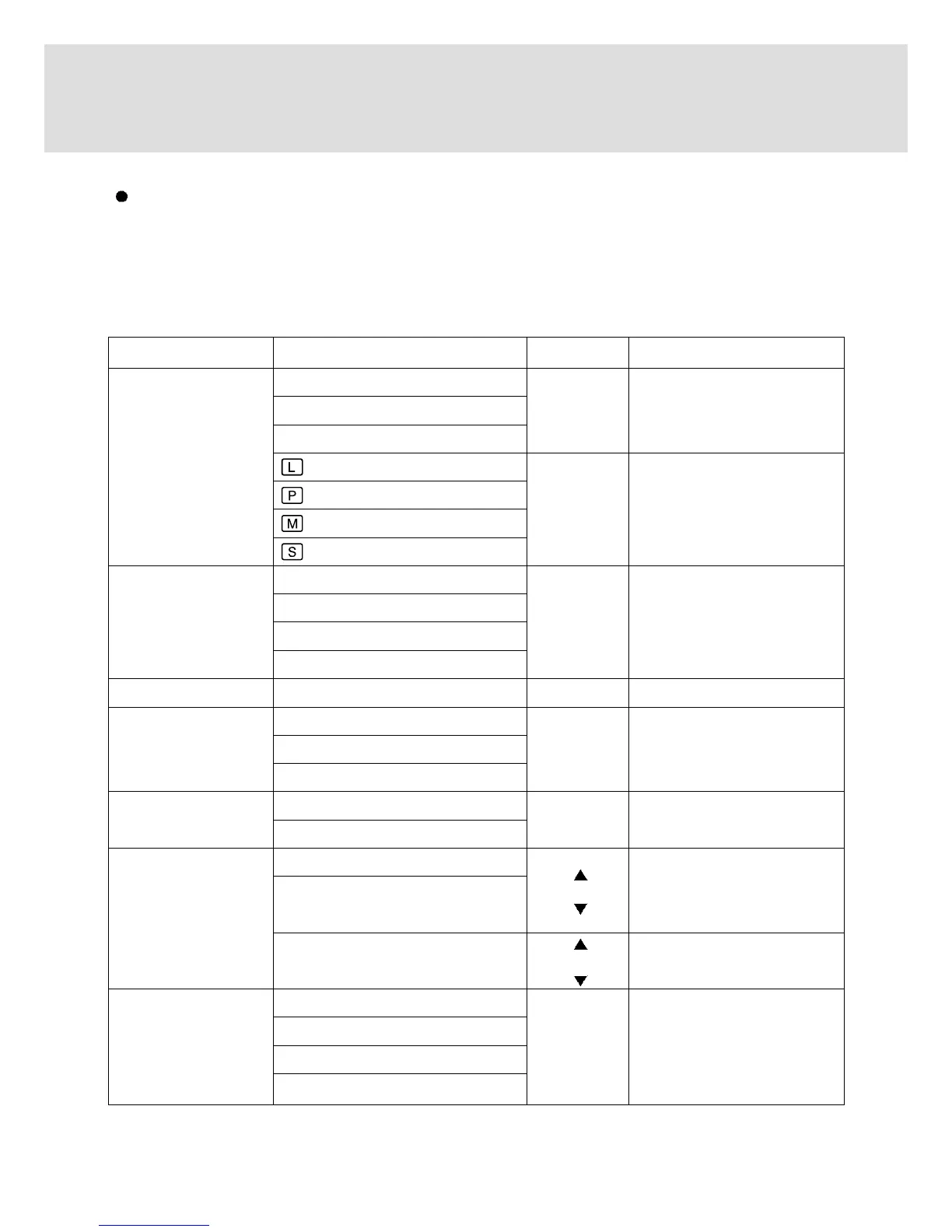
Main menu Sub menu
Secondary menu
Camera working mode
SIZE
PRINT( 2048 x 1360 /SUPER FINE)
EASY
MEMO( 1024 x 768 /FINE)
E-MAIL( 512 x 384 /NORMAL)
2048x 1536
2048 x 1360
1024 x 768
512x 384
QUALITY TIFF
SUPER FINE
FINE
NORMAL
P/A/S/M P/A/S/M MySET 1/2/3
A/S/M APERTURE PRIORITY
SHUTTER PRIORITY
MANUAL
METERING MULTI
SPOT
SHOOT MODE SINGLE
CONTINUOUS
AEB
ISO AUTO
100
200
400
PROGRAM, PORTRAIT,
NIGHT SCENE, A/S/M,
MySET 1/2/3
PROGRAM, PORTRAIT,
NIGHT SCENE, A/S/M,
MySET 1/2/3
A/S/M, MySET 1/2/3
PROGRAM, PORTRAIT,
A/S/M, MySET 1/2/3
PROGRAM, A/S/M([AUTO]
is not available), MySET
1/2/3
EASY, PROGRAM,
PORTRAIT, MySET 1/2/3
# of prints
±0.5 EV
EASY, PROGRAM,
PORTRAIT, MySET 1/2/3
Using the LCD monitor to adjust the camera
- Recording functions can be changed by using the LCD monitor.
-
In the RECORDING (EASY, PROGRAM, PORTRAIT, NIGHT SCENE, A/S/M, MOVIE CLIP, MySET,
VOICE RECORDING) mode, pressing the MENU button displays the menu on the LCD monitor.
- The following functions are available, depending on the mode you have selected.




 To Next Page