92
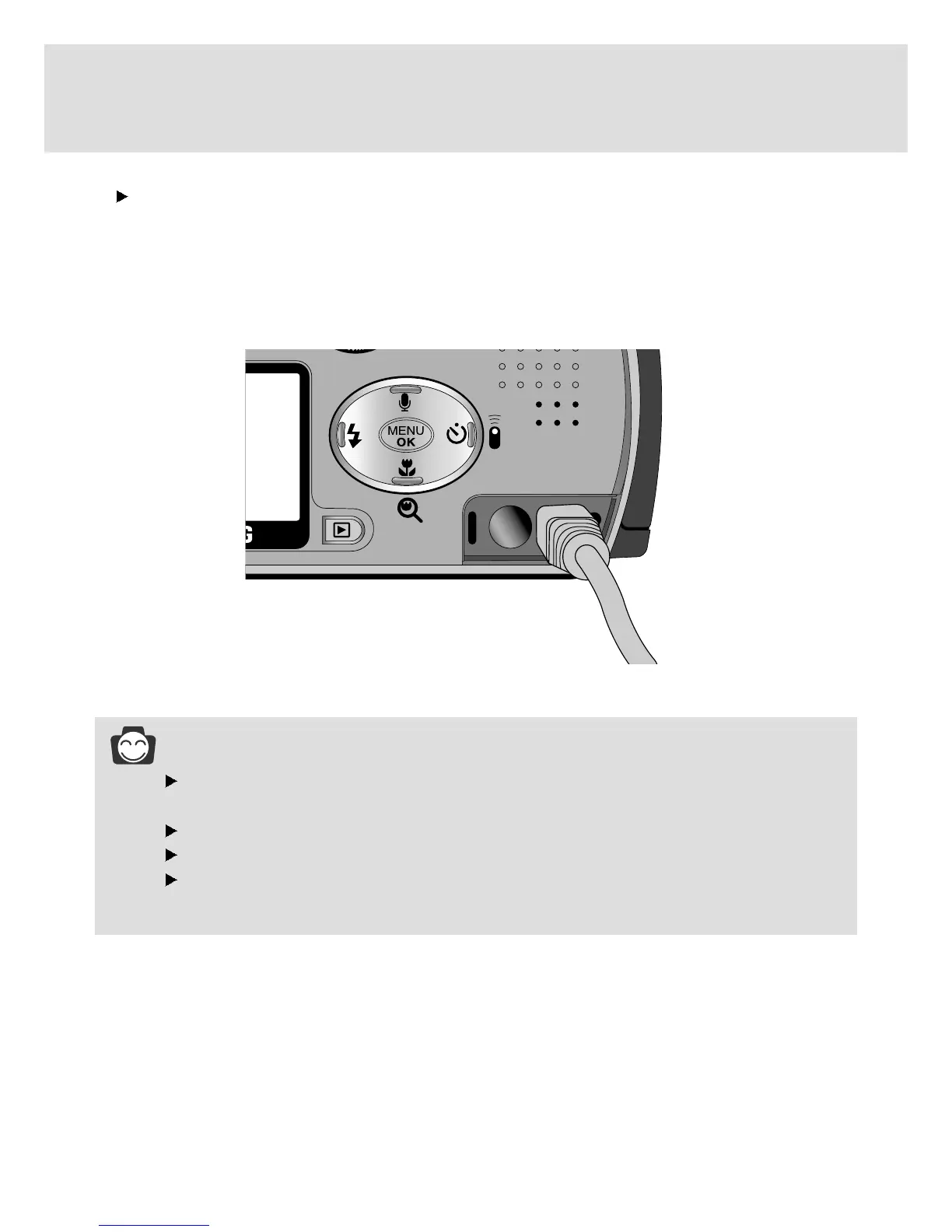
Connecting to an external monitor
Connecting to an external monitor
In RECORDING/ PLAY mode, you can view the stored still images or movie clips by connecting the
camera to an external monitor via the video cable. When the camera is connected to an external
monitor, the LCD monitor will be turned off automatically.
INFORMATION
When using a TV as an external monitor, you will need to select the external or AV channel
of the TV.
There will be a digital noise on the external monitor, but it is not a malfunction.
If the image is not in the centre of the screen, use the TV controls to centre it.
When the camera is connected to an external monitor, the menu will be visible on the external
monitor and the menu functions are the same as those indicated on the LCD monitor.




 To Next Page