✎
Notes
x
This is the definition for Edit Countries.
x
The highlighted channel item or more than one selected channel item is added or deleted from the Country category.
✎
Etc.
x
Timeout (60 sec)
Elements
No Name Description
1 Add to Countries
y If there is a registered channel among the selected channels, Edit Countries is
displayed as the title.
y A check box is displayed depending on whether the selected country is registered
or not.
2 Guide
3 Complete Message
y The message is displayed after the completion of the operation. (This message is
always displayed if the OK button is selected.)
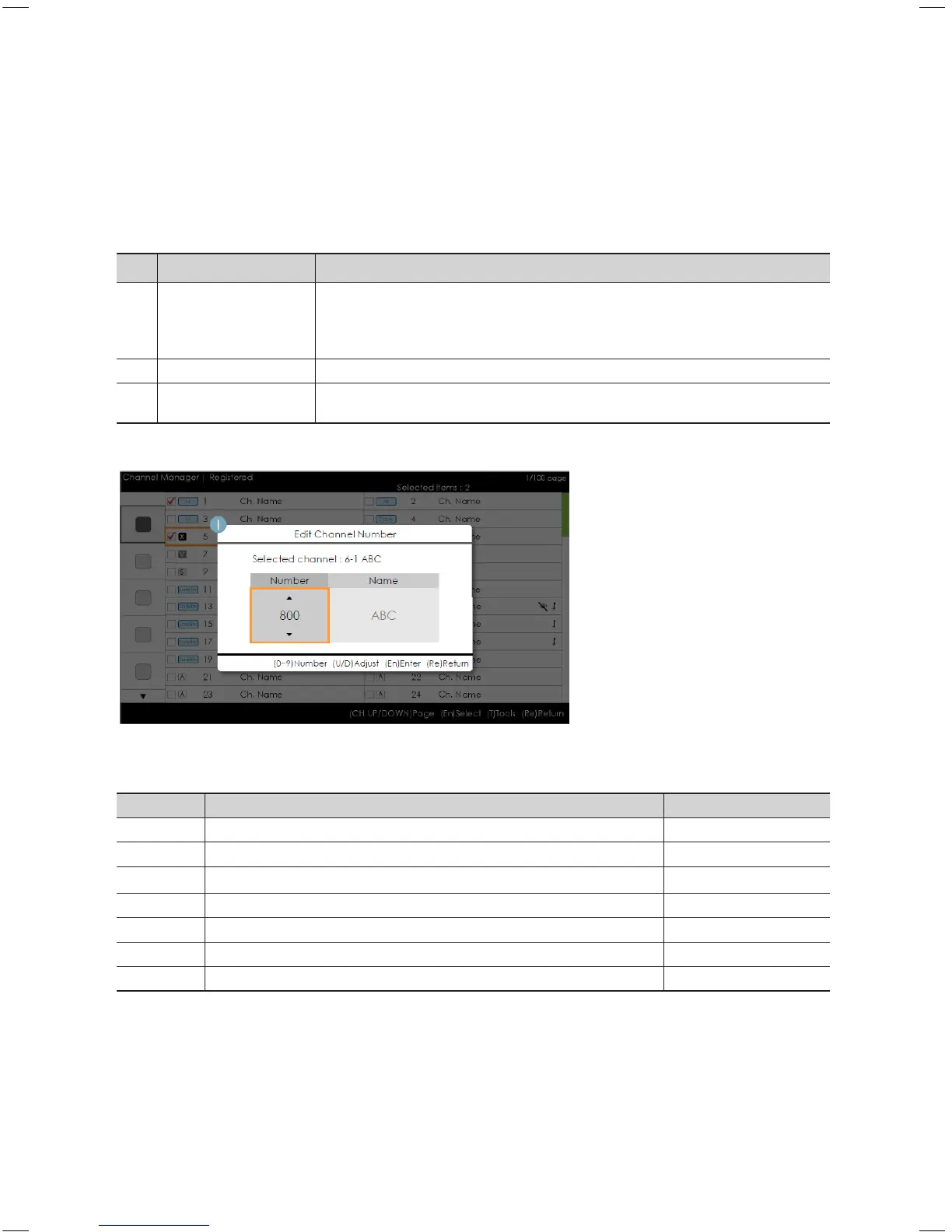
Edit Channel Number [Swap Type]
•ChannelManager>Browser>Tools>EditChannelNumber
Key Guide
Button Action Nav. Help
ENTER Applies the changes and closes the window. Enter
RETURN Cancels and returns to the previous screen (Tools). Return
▲/▼
Changes the channel number of the selected channel. Adjust
0~9 Enters a digit. Number
INFO N/R N/R
TOOLS Closes the current window and displays the ‘Tools’ menu. (No Guide)
EXIT Cancels and returns to the previous step (Factory Mode). (No Guide)
✎
Notes
x
This is the definition of the function that changes the channel number (Swap Type).
x
Channel numbers can be changed in all channel lists and changes are applied to all channels.
x
If the new channel number has not been allocated to another channel, the channel number is updated to the new
channel number and the list is sorted again in ascending order of the channel number.
x
If the new channel number has already been allocated to another channel, follow the Hotel specifications.
•ChannelManager>Browser>Tools>AddtoCountries
[HB460-XC]Install Guide-ENG.indd 41 2013-04-03 �� 3:27:20



 To Next Page