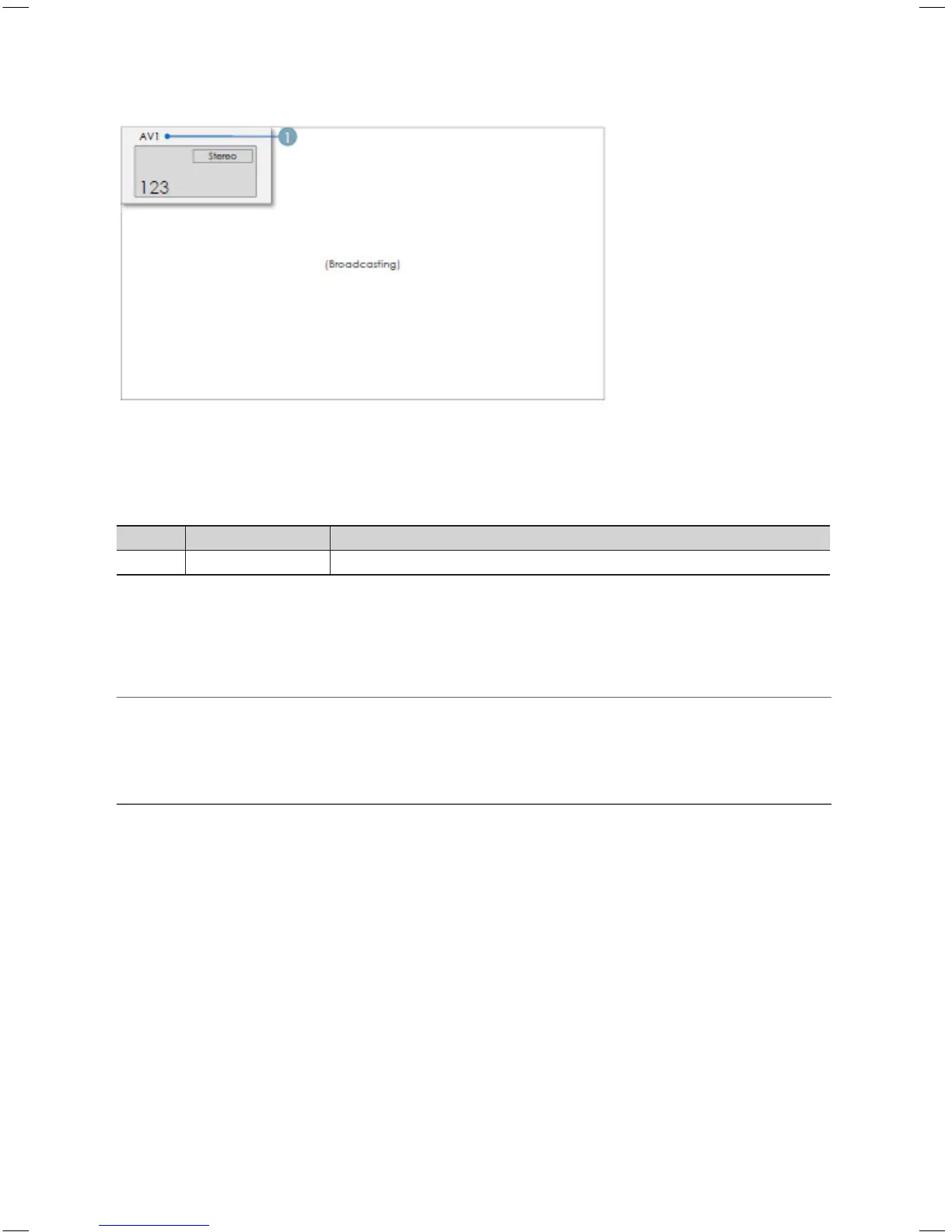
CH Banner [when a channel number is allocated to an external input]
✎
Notes
x
The TV channel banner specifications are applied.
x
When there is an unsupported item or there is no corresponding information, the item values are not displayed.
x
The channel name is represented as the ‘external input name’.
Elements
No Name Description
1 External Input Name
The Channel List provides some functions of the GenreTV.
y Country Mode
y Changes the genre mode.
¦ Mixed Channel Map
Mixed Channel Map is a function to mix Air, Cable and Setellite channels.
– Mixed channel Map should be ON in order to mix Air, Cable and Setellite channels.
– Use Channel Editor to sort the channels after turning on 'Mixed channel Map' in Hotel Option Menu.
¦ Sound Bar
y Samsung Sound-Bar & Hospitality TV in 2013
– Samsung Sound-Bar & hospitality TV support HDMI 1.4, so you can listen to TV’s sound on Sound-Bar by using single
HDMI cable.
– Supporting model.
y Sound-Bar : HW-E350/E450/E550
y The operation of “Hotel mode” in Sound Bar
– The following items of TV’s hotel option menus should be set in advance.
y Hotel option → Power On → Power ON Volume = "Enable" / Power ON Vol / Max Vol
y Hotel option → External Device → Sound Bar Out = "On"
– After being connected to the 2013 hospitality TV via HDMI Cable, while TV turns on, Sound-Bar automatically detects
TV and then, will be converted to “hotel mode” by itself.
– The change with power-on volume & max volume on TV is applied to the connected sound-bar since TV boots twice.
[HB460-XC]Install Guide-ENG.indd 46 2013-04-03 �� 3:27:23



 To Next Page