3 Alignments and Adjustments
3-1
3-1 Required Equipment
The following equipment is necessary for adjusting the monitor:
- Computer with Windows 95, Windows 98, or Windows NT.
- MTI-2031 DDC MANAGER JIG
3-2 Automatic Color Adjustment
To input video, use 16 gray or any pattern using black and white.
1. Select english for OSD language.
2. Press the " (Enter/Source)" key for 5 seconds.
3-3 DDC EDID Data Input
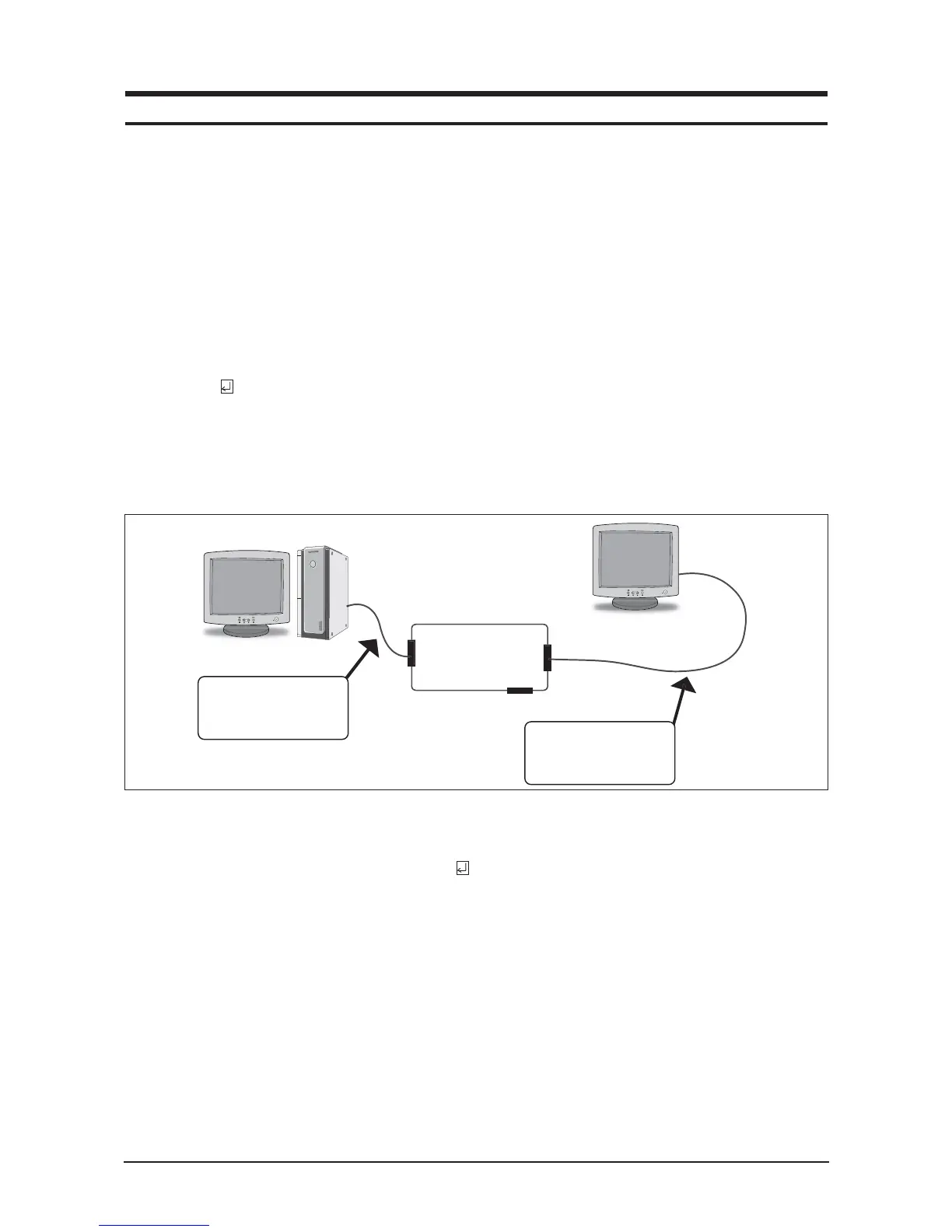
1. Input DDC EDID data when replacing AD PCB.
2. Receive/Download the proper DDC file for the model from HQ quality control department.
Install the below jig (Figure 1) and enter the data.
3-4 OSD Adjustment When Replacing Panel
1. Adjust brightness and contrast to 0. Then, press the (Enter/Source) key for 5 seconds.
Service function OSD will appear on screen.
2. Press the + key to place the cursor on the panel. Press the menu key for 5 seconds.
3-5 OSD Adjustment When Replacing Lamp Only
1. Adjust brightness and contrast to 0. Then, press the exit key for 5 seconds.
Service function OSD will appear on the screen.
2. Press the + key. Select upper lamp and press the menu key for 5 seconds.
Then, select lower lamp and press the menu key for 5 seconds.
-Note : Please be sure to read the following instructions for details on service function.
3 Alignments and Adjustments
This section of the service manual explains how to use the DDC MANAGER JIG.
This function is needed for AD board change and program memory (IC110) change.






 To Next Page