11 Disassembly and Reassembly
11-6
11-3 Stand
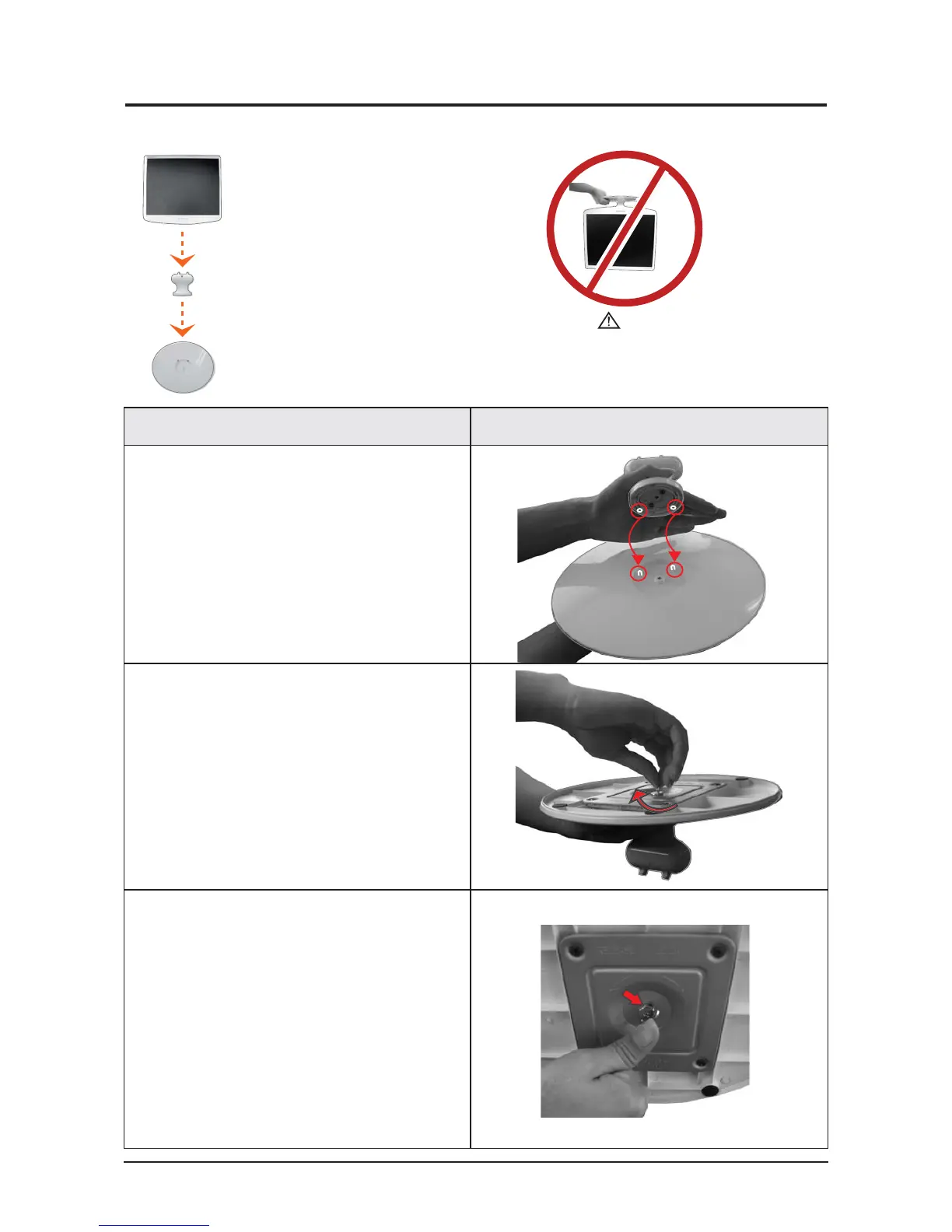
11-3-1 Installing the Stand
설설 명 사사진 설명
Description Picture Description
A: Monitor
Caution
When lifting up or moving the monitor, do not lift the
monitor upside down while holding only the stand, as
this may cause the monitor to fall, leading to damage
or personal injury.
B: Connecting pin
C: Stand
1. Insert the connecting pin into the stand.
2. Stand the screw handles up and tighten the
screws firmly by turning them.
3. Place the screw handles back down.






 To Next Page