3 Alignments and Adjustments
3-6
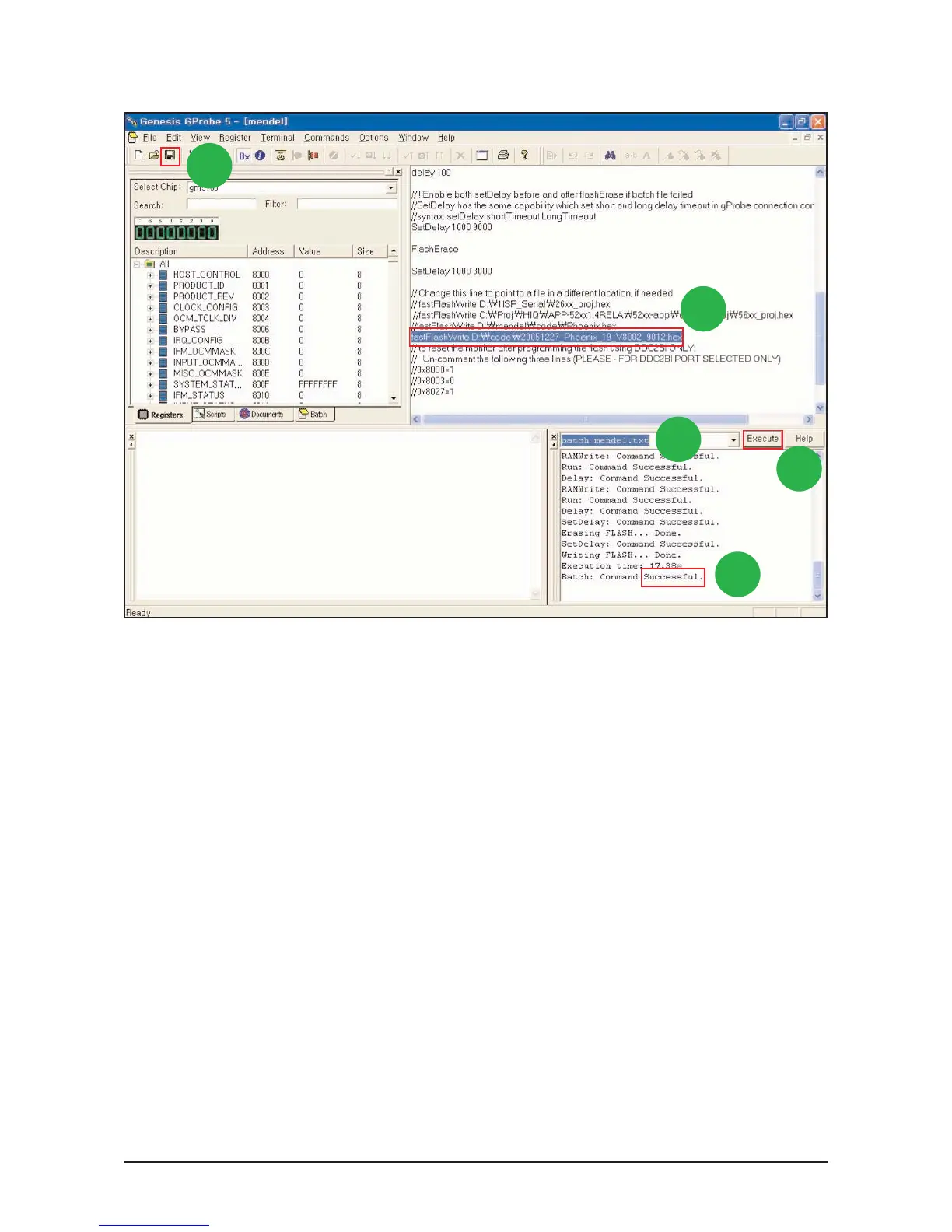
4. Change the Code's Path to saved Path at your PC.
5. Save the Batch file.
6. Write Batch command
"batch batch file name.txt"
7. Click "Execute" Button
8. If command is "Successful" , Hard Power On/Off until LED is Off
- If command is "Error",
1. Hard Power Off
2. Write Command "forcesa"
3. Click "Execute" Button
4. Repeat again 7 to 9.
5
4
6
7
8
3-8-2 Change Batch File Path and DownLoad Code






 To Next Page