Disassembly and Reassembly
3-2 Samsung Electronics
■ AC024BXUPCH, AC036BXUDCH
No. Parts Procedure Remark
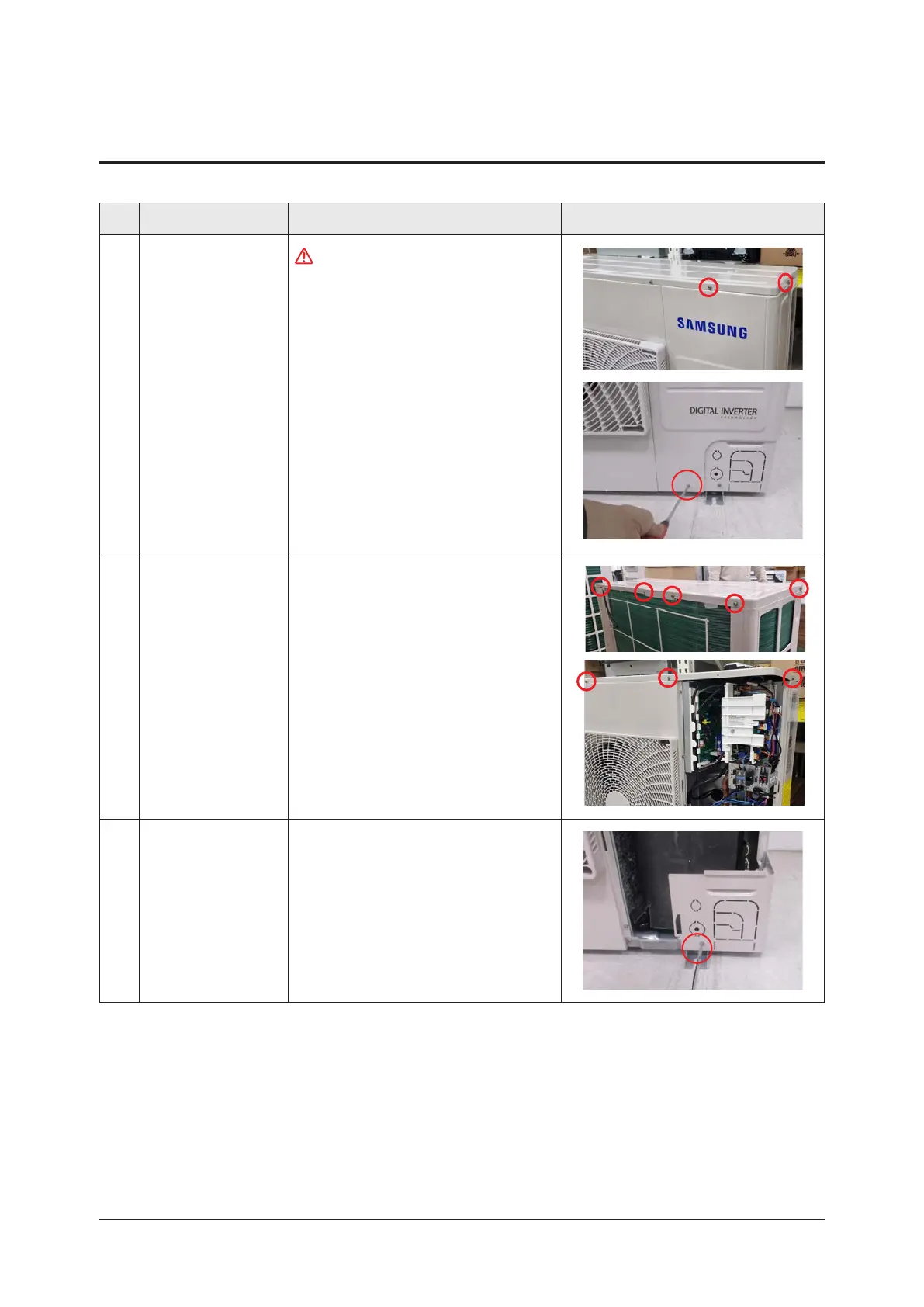
1 Cabinet Front RH
Turn off the power before disassembly
necessarily.
1) Remove 3ea of screws from the
Cabinet Front RH and separate it.
(Use + Screw Driver)
2 Cabinet Upper 1) Remove 8ea of screws which are fixed
to each side of Cabinet Upper and
separate it.
(Use + Screw Driver)
3 Cabinet-Installation
Front Part
1) Remove a screw which is fixed to
Cabinet-Installation Front Part and
separate it.
(Use + Screw Driver)
3-1. Outdoor unit



 To Next Page