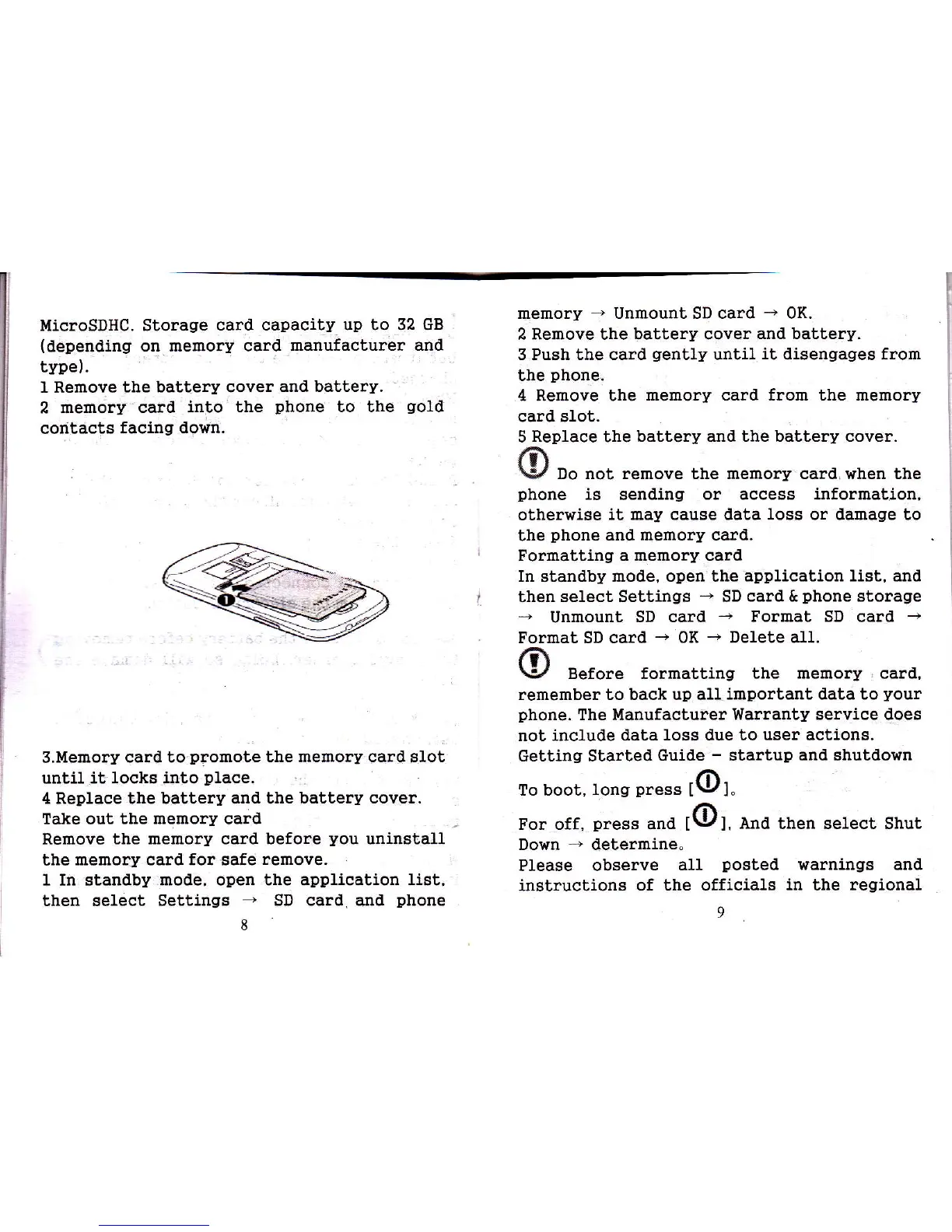
MicroSDHC. Storage
card capacity up to 32 GB
(tlepending
on memory caral
manufacturer and
type).
I Remove
the battery cover
and baitery.
2 memory
caral
inUo the
phone
to the
gold
codtacts
facing down.
S.Uemory
card to'promote
the memory card
glot
until it locks
into
place.
4 Replace the battery and the
battery cover.
Take out
the memory card
Remove
the memory card before
you
uninstall
the
memory card f,or
safe
remove.
1
In standby
mode, open the application
list,
then select Settings
*
SD card. and
phone
8
memory
-
Unmount SD card
-
0K.
2 Remove the battery cover
and battery.
3 Push the card
gently
until
it
disengages from
the
phone,
4 Remove the
memory card from the memory
card sIot.
5
Replace
the
battery and the battery cover.
ri\
\y
Do not remove the memory card when the
phone
is
sending
or access information,
otherwise
it may cause data Ioss or damage to
the
phone
and memory card.
Formatting a memory card
In standby mode, open the
application list, and
then
select Settings
-
SD
card &
phone
storage
*
Unmount,
SD card
+
Format SD
card
-
Format SD card
-
0K
-
Delete a1L
1?\
\y
Before formatting
the memory card,
remember to back up all
important data to
your
phone.
The ldanufacturer
Warranty service does
not include data loss due to
user
actions.
Getting Starled
Guide
-
startup and shutdown
To boot,
tong
press
[@].
For off,
preas
and
tO:.
ena
then select shut
Down
-
deterrnine"
Please observe
afl
posted
warnings and
instructions
of the officials
in
the
regional
9







 To Next Page