Trouble Shooting
4-22 Samsung Electronics
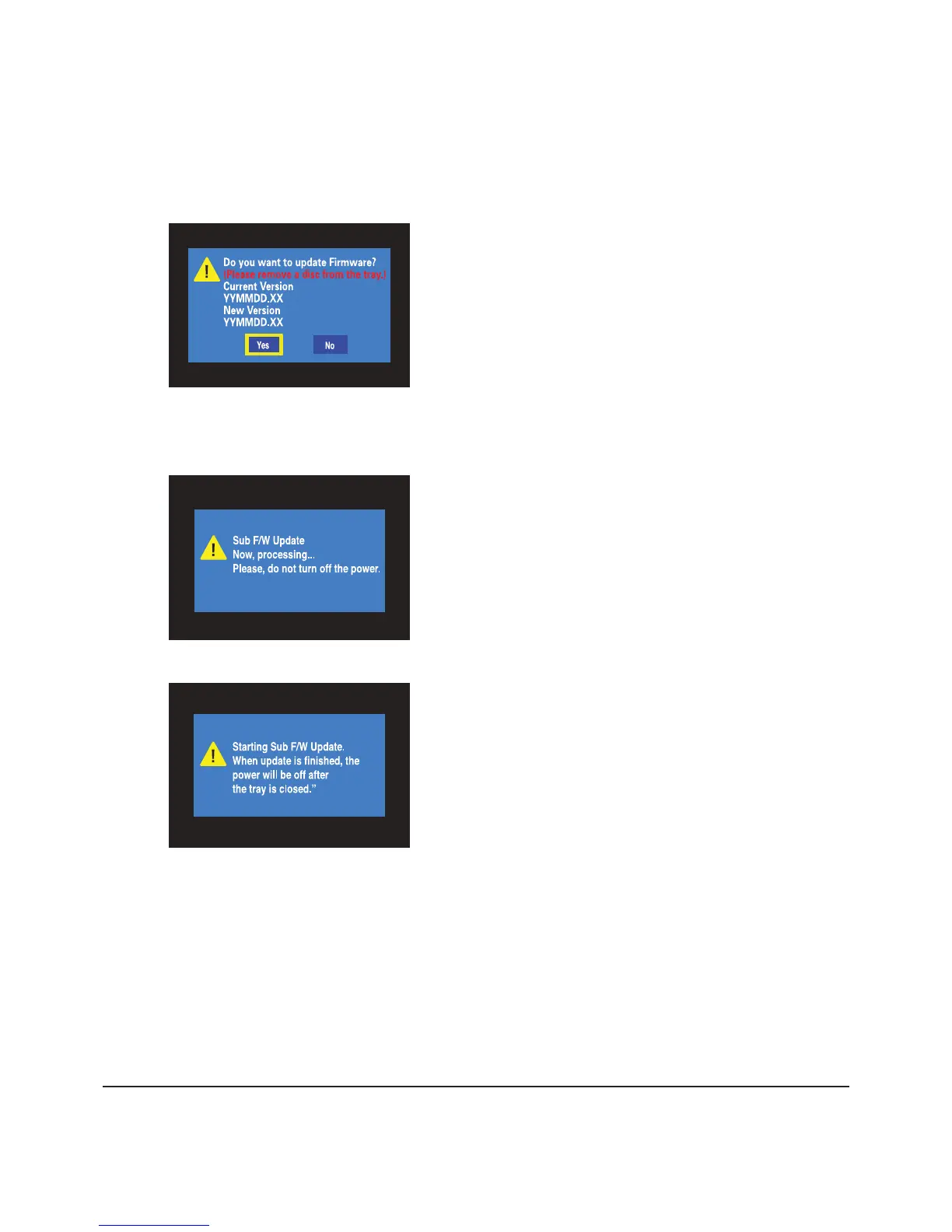
1) Insert update CD and close the tray.
2) Tray opened automatically, then Press YES if the up
date CD you insert is a later one than before.
4-2-2 Loader F/W Update Method (for Disc Physical Problem)
Fig. 4-14
Fig. 4-15
Fig. 4-16
3) Wait about 1~2 minutes.
4) When nished , power goes off automatically.





 To Next Page