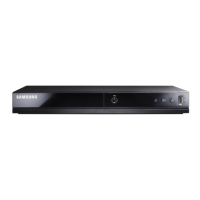
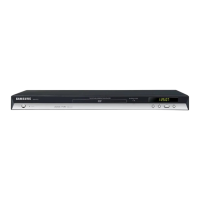
Contents
Contents
1.Precautions......................................................................................................................................1−1
1.1.SafetyPrecautions...................................................................................................................1−1
1.2.ServicingPrecautions...............................................................................................................1−3
1.2.1.GeneralServicingPrecautions.......................................................................................1−3
1.2.2.InsulationCheckingProcedure.......................................................................................1−3
1.3.ESDPrecautions......................................................................................................................1−4
1.4.Handlingtheopticalpick-up......................................................................................................1−5
2.ProductSpecications........................................................................................................................2−1
2.1.ProductSpecication................................................................................................................2−1
2.1.1.DVDGeneralFeatures.................................................................................................2−2
2.1.2.Discswhichcannotbeplayedwiththisplayer...................................................................2−2
2.1.3.DiscTypeandCharacteristics........................................................................................2−2
2.1.4.RegionCode...............................................................................................................2−3
2.1.5.USB..........................................................................................................................2−4
2.2.ChassisProductSpecication.....................................................................................................2−6
2.3.OptionProductSpecication......................................................................................................2−7
3.DisassemblyandReassembly..............................................................................................................3−1
3.1.CabinetandPCB.....................................................................................................................3−1
3.1.1.TopCabinetRemoval...................................................................................................3−1
3.1.2.AssyFrontCabinetRemoval.........................................................................................3−2
3.1.3.AssyLoaderRemoval..................................................................................................3−3
3.1.4.MainPCBandS.M.P .SPCBandRCAJackPCBRemoval..................................................3−4
3.2.PCBLocation.........................................................................................................................3−5
4.Troubleshooting................................................................................................................................4−1
4.1.Troubleshooting......................................................................................................................4−1
4.2.SoftwareUpdate......................................................................................................................4−25
4.2.1.CDUpgrade...............................................................................................................4−25
4.2.2.MainF_WUpgradeMethod..........................................................................................4−29
5.PCBDiagrams..................................................................................................................................5−1
5.1.WiringDiagram.......................................................................................................................5−2
5.2.MainPCB..............................................................................................................................5−3
5.3.S.M.P .SPCB...........................................................................................................................5−6
5.4.RCAJackPCB........................................................................................................................5−8
6.SchematicDiagrams..........................................................................................................................6−1
6.1.AllBlockDiagram...................................................................................................................6−2
6.2.Power....................................................................................................................................6−3
6.2.1.AboutS.M.P .S(RingingChokeConverterMethod)............................................................6−3
6.2.2.Circuitdescripcotion[FLY -BackRCC(RingingChokeConverter)]Control............................6−3
iCopyright©1995-2011SAMSUNG.Allrightsreserved.



 To Next Page