1.Precautions
1.4.Handlingtheopticalpick-up
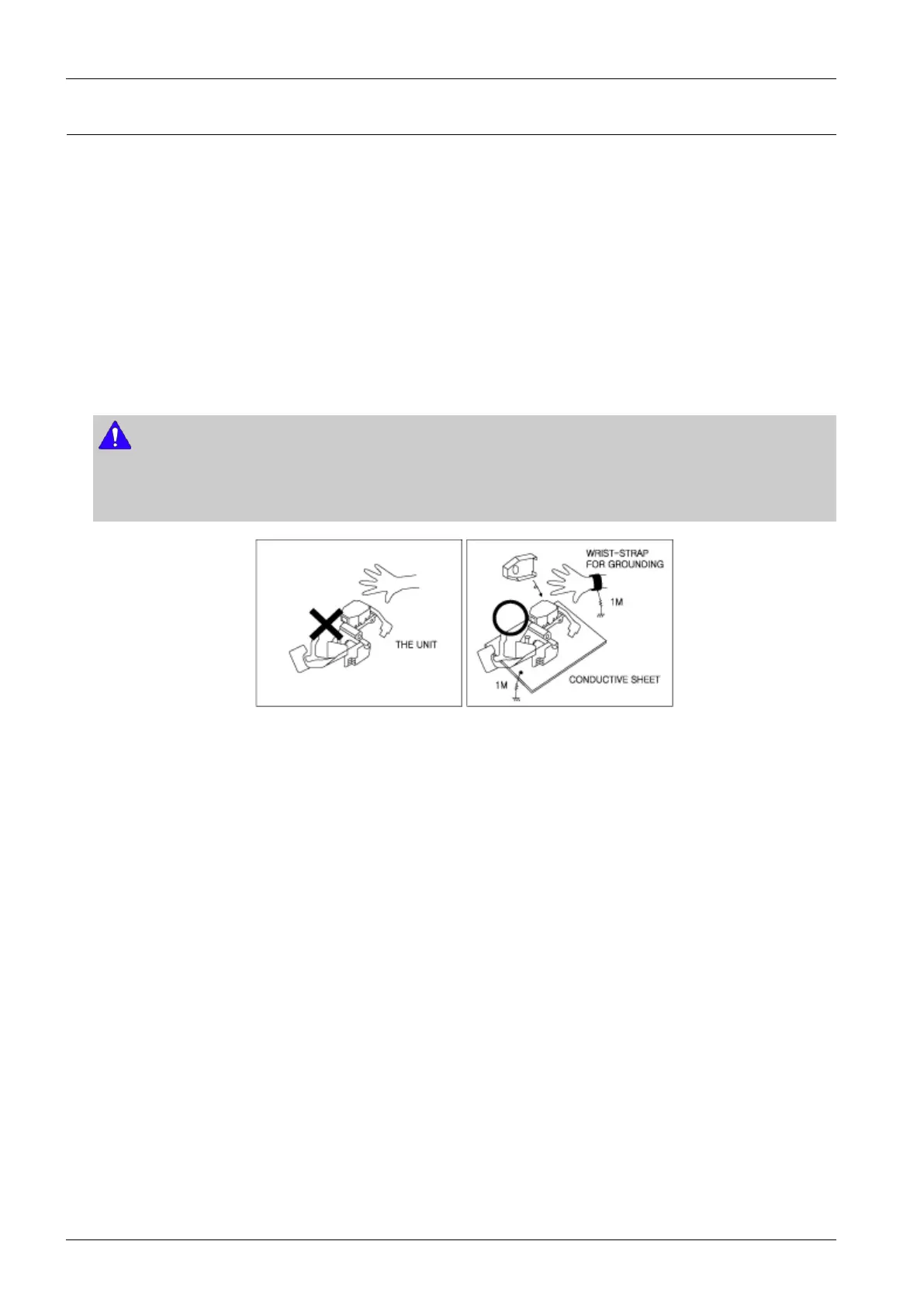
Thelaserdiodeintheopticalpickupmaysufferelectrostaticbreakdownbecauseofpotentialstaticelectricityfrom
clothingandyourbody.
Thefollowingmethodisrecommended.
1)Placeaconductivesheetontheworkbench(Theblacksheetusedforwrappingrepairparts.)
2)Placethesetontheconductivesheetsothatthechassisisgroundedtothesheet.
3)Placeyourhandsontheconductivesheet(Thisgivesthemthesamegroundasthesheet.)
4)Removetheopticalpickupblock
5)Performworkontopoftheconductivesheet.Becarefultoletyourclothesoranyotherstaticsourcestouchtheunit.
NOTE
•Besuretoputonawriststrapgroundedtothesheet.
•Besuretolayaconductivesheet,thatisgroundedtothetable,madeofcopper.
Fig.1-3
6)ShorttheshortterminalonthePCB,whichisinsidethePick-UpASS’Y,beforereplacingthePick-Up.(Theshort
terminalisshortedwhenthePick-UpAss’yisbeingliftedormoved.)
7)AfterreplacingthePick-up,opentheshortterminalonthePCB.
1-5Copyright©1995-2011SAMSUNG.Allrightsreserved.



 To Next Page