EasyManua.ls Logo

Samsung DVD-HD870 - User Manual

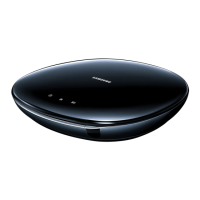
Samsung DVD-HD870
64 pages
Print Icon
To Next Page IconTo Next Page
Loading...
DVD Player
DVD-HD870
www.samsung.com

Other manuals for Samsung DVD-HD870

Questions and Answers

  • C
    Christopher CowanSep 9, 2025
    How to get 5.1 channel sound on Samsung DVD Player?
    • E
      Ethan MillerSep 9, 2025
      5.1 channel sound on your Samsung DVD player will only work if: your DVD player is connected to the correct amplifier, the disc has 5.1 channel sound, your audio system is properly connected and working, and the Audio Output in the SETUP Menu is set to Bitstream. Also, check the disc for the '5.1 ch' mark.
  • R
    Robert OdonnellAug 23, 2025
    Why Samsung DVD-HD870 DVD Player disc does not play?
    • J
      Jeffrey WagnerAug 23, 2025
      If your Samsung DVD Player isn't playing a disc, make sure the disc is inserted correctly with the label side facing up. Also, verify that the region code of the DVD matches your player.
  • A
    Anna RushAug 25, 2025
    Why is 5.1 channel sound not working on my Samsung DVD-HD870?
    • A
      Alison GrantAug 25, 2025
      5. 1 channel sound on your Samsung DVD Player is only reproduced under specific conditions: * The DVD player must be connected to a compatible amplifier. * The disc must be recorded with 5.1 channel sound. Make sure the disc has the “5.1 ch” mark. Verify that your audio system is properly connected and functioning. Check in the SETUP Menu to see if the Audio Output is set to Bitstream.
  • M
    Madison EllisAug 27, 2025
    Why is my Samsung DVD-HD870 remote control not working?
    • D
      Desiree WadeAug 27, 2025
      If your Samsung DVD Player remote control isn't working, first check and replace the batteries if needed. Ensure you are within 20 feet of the DVD player. If it still fails, try resetting the remote by removing the batteries, holding down one or more buttons for several minutes, then reinstalling the batteries.
  • J
    jennifercopelandAug 27, 2025
    How to reset password on Samsung DVD-HD870 DVD Player?
    • A
      Andrea DavidAug 27, 2025
      If you forgot the password for your Samsung DVD Player, press the button on the front panel for more than 5 seconds with no disc inside. This will revert all settings, including the password, to the factory defaults. Note: Use this as a last resort.
  • R
    Regina AlvaradoAug 29, 2025
    What to do if my Samsung DVD-HD870 disc does not play?
    • M
      mikaylaflowersAug 29, 2025
      If your Samsung DVD Player isn't playing a disc, ensure that the disc is placed with the label side facing up. Also, verify that the region number of the DVD is compatible with your player.
  • E
    Eric HutchinsonSep 17, 2025
    Why does play mode differs from the Setup Menu selection on Samsung DVD-HD870?
    • A
      Alexander CantuSep 17, 2025
      Some functions selected in the Setup Menu of your Samsung DVD Player may not work properly if the disc is not encoded with the corresponding function.
  • B
    Brady MartinSep 18, 2025
    Why the screen ratio cannot be changed on my Samsung DVD-HD870?
    • M
      michael14Sep 18, 2025
      The screen ratio is fixed on some DVDs for your Samsung DVD Player.
  • S
    Steven LeeSep 7, 2025
    Why is there no HDMI output from my Samsung DVD player?
    • D
      dawsonbrandySep 7, 2025
      If you're getting no HDMI output from your Samsung DVD player, first check that the video output is HDMI enabled. Then, verify the connection between your TV and the HDMI jack on the DVD player. Finally, confirm that your TV supports the DVD player's resolution (480p/576p/720p/1080i).
  • L
    Lori GonzalezSep 4, 2025
    Why does play mode differ from setup menu selection on Samsung DVD Player?
    • A
      Amanda FordSep 4, 2025
      Some functions selected in the Setup Menu of your Samsung DVD Player may not work correctly if the disc is not encoded with the corresponding function.

Summary

Important Safety Instructions

Precautions

Handling Cautions

Chapter 1: Setup

General Features

Overview of the DVD player's capabilities and functionalities.

Disc Type and Characteristics

Description

Front Panel Controls

Detailed description of each button and indicator on the front panel.

Rear Panel

Rear Panel Jacks

Description of all output jacks on the rear panel of the DVD player.

Tour of the Remote Control

Remote Control Buttons

Detailed explanation of the function of each button on the remote control.

Chapter 2: Connections

Choosing a Connection

Overview of connection options for the DVD player with a TV.

Connection to a TV (S-Video)

Connection to a TV (Interlace)

Connection to a TV (Progressive)

Connecting to a TV with HDMI Jack

Connecting to a TV with DVI Jack

Connection to an Audio System (2 Channel Amplifier)

Connection to an Audio System (Dolby digital, MPEG2 or DTS Amplifier)

Chapter 3: Basic Functions

Playing a Disc

Step-by-step guide on how to insert, play, and stop a disc.

Using the Search and Skip Functions

Repeat Play

Slow Play

Chapter 4: Advanced Functions

Selecting the Audio Language

Selecting the Subtitle Language

Using the Instant Replay;Skip Function

Using the Bookmark Function

Using the Zoom Function

MP3;WMA;CD Audio Playback

CD-R MP3;WMA File Requirements

MPEG4 Playback

Picture CD Playback

MP3-JPEG Playback

Chapter 5: Changing Setup Menu

Using the Setup Menu

Guide to accessing and navigating the player's main setup menu.

Setting Up the Language Features

Using the Audio Language

Using the Subtitle Language

Setting Up the Audio Options

Setting Up the Display Options

Setting Up the Parental Control

Changing the Password

Chapter 6: Reference

Troubleshooting

Common problems and their solutions, with references to relevant manual sections.

Specifications

Warranty Information

Samsung DVD-HD870 Specifications

General IconGeneral
Progressive scan outputYes
Audio formats supportedMP3, WMA
Device typeDVD player
Product colorBlack
Composite video out1
Dimensions (WxDxH)430 x 210 x 43 mm

Related product manuals