Getting started
11
Reducing the battery consumption
When you are not using the Ring, store it in the charging case that has been charged.
If not, the sensor will continue to work, and it will affect the usage time and battery
consumption.
Battery charging tips and precautions
Use only Samsung-approved charger and cable specifically designed for your
Ring. Incompatible charger and cable can cause serious injuries or damage to your
device.
•
Connecting the charger improperly may cause serious damage to the charging
case. Any damage caused by misuse is not covered by the warranty.
•
Use only USB Type-C cable supplied with the Ring. The charging case may be
damaged if you use Micro USB cable.
•
If you charge the Ring while the charger port is wet, the device may be damaged.
Thoroughly dry the charger port before charging the Ring.
•
Chargers are sold separately.
•
To save energy, unplug the charger when not in use. The charger does not have a
power switch, so you must unplug the charger from the electric socket when not
in use to avoid wasting power. The charger should remain close to the electric
socket and easily accessible while charging.
•
When using a charger, it is recommended to use an approved charger that
guarantees the charging performance.
•
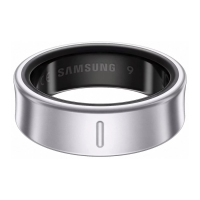
Keep the charging case closed while you store or charge the Ring, or when you
charge the charging case. Ensure that the Ring’s orientation indicator is facing
the front before placing it in the charging case.
•
If there is sweat or liquid on the charging contacts, corrosion may occur on the
Ring. When there is sweat or liquid on the charging contacts or Ring, clean them
before inserting the Ring in the charging case.
•
When you insert your Ring in the charging case, the charging will start
automatically, and it will stop automatically if the Ring and the charging case are
fully charged.
•
Even if you do not remove your Ring from the charging case after the Ring is fully
charged, it will likely not have a huge impact on the life of your Ring.


 To Next Page