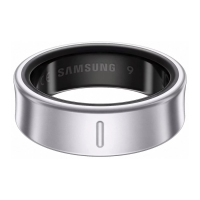
Using the Ring
26
Setting the heart rate alert
You can receive an alert from the Samsung Health app when your heart rate is higher or
lower than the resting heart rate value you set and it lasts more than 10 minutes.
1 On the connected phone, open the
Galaxy Wearable
app.
2 Tap
Health settings
→
Heart rate alert
.
3 Tap the switch of the alert you want to use to turn it on and set the heart rate range.
•
High HR
: Set to receive an alert when your heart rate is consistently higher than
the heart rate value you set.
•
Low HR
: Set to receive an alert when your heart rate is consistently lower than the
heart rate value you set.
Stress
Check your stress level by utilising the bio data collected by your Ring and reduce your
stress by following the breathing exercise that the Samsung Health app provides.
You can check the measured stress level by accessing the stress card on the Samsung
Health app of the connected phone.
•
The more frequently you measure your stress level, the more accurate your
results will be because of the accumulated data.
•
Your measured stress level is not necessarily related to your emotional state.
•
Your stress level may not be measured, while you are sleeping, working out,
moving a lot, or right after you finish a workout.
•
For accurate measurements, wear the Ring on a finger where it can fit firmly.
•
This feature may not be available depending on the region.
Measuring your stress level in the Samsung Health app
1 On the connected phone, open the
Health
app.
2 Access the stress card.
3 Tap
Measure
to begin measuring your stress level.
Check the measured stress level on the screen.
4 Tap
Save
to store the record.


 To Next Page