31
Galaxy Wearable app
Introduction
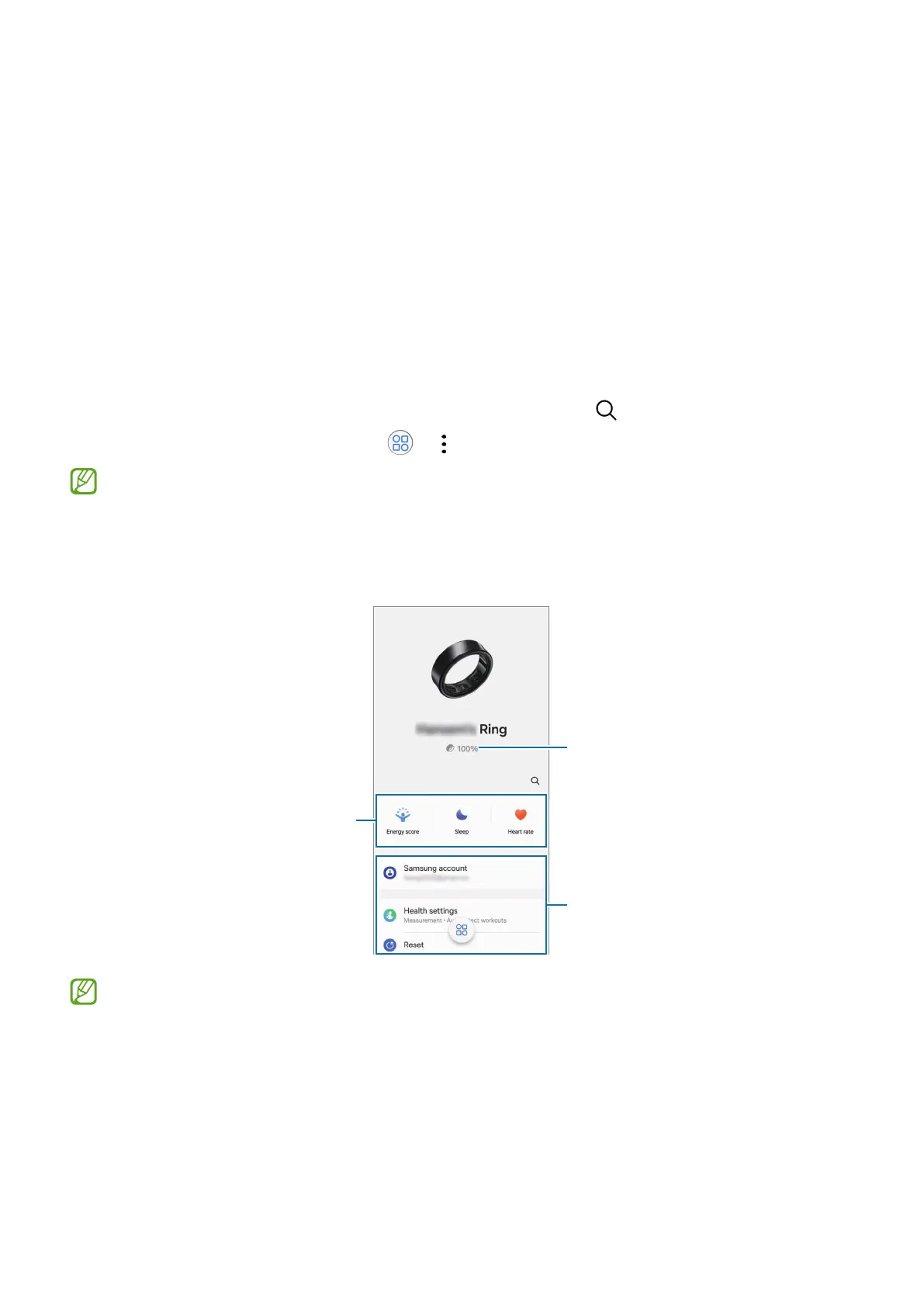
You can check the Ring’s status, such as the connection status or the remaining battery
level, and the measured health data with the Galaxy Wearable app.
Open the
Galaxy Wearable
app on your phone.
To search for features or settings by entering keywords, tap
.
To set the Galaxy Wearable app, tap
→
, and then tap
Settings
.
•
To use the Galaxy Wearable app, you must connect your Ring to a phone. Refer to
Connecting the Ring to a phone for more information.
•
Some features may not be available depending on the type of connected phone,
carrier, or model.
Ring's remaining battery
Configure the Ring settings and
access information on how to use
Check your primary health
information.
The charging case’s battery level will be displayed for a few seconds along with the
Ring’s battery level right after you open the charging case or insert the Ring into
the charging case.


 To Next Page