Using the Ring
19
Connecting your Ring to a new phone
If you want to connect the Ring to a new phone, you need to reset the Ring.
Resetting the Ring may delete your health data that has not synced with the
Samsung Health app. Sync data with the Samsung Health app by opening the app
on the connected phone before resetting the Ring.
1 On the connected phone, open the
Galaxy Wearable
app and tap
Reset
→
Reset
.
After a reset, your Ring will enter Bluetooth pairing mode automatically.
2 On your new phone, open the
Galaxy Wearable
app to connect to your Ring.
Getting to know the Ring’s features
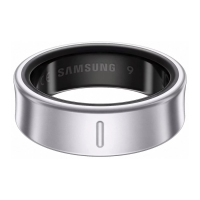
Your Ring records your daily activities, including your sleep, to help you cultivate healthy
habits. By connecting the Ring with your phone, you can manage your health-related
data and receive insights related to health and fitness through the Samsung Health app.
Visit www.samsung.com/samsung-health for more information.
•
Samsung Health features are intended only for leisure, well-being, and fitness
purposes. They are not intended for medical use. Before using these features,
read the instructions carefully.
•
When you wear your Ring and Galaxy Watch together, the Watch will work as
your primary wearable device, and the Ring’s features other than heart rate
and sleep measurement will turn off. However, if the Watch’s battery has been
drained or it is hard to obtain that information from the Watch for any other
reason, the Ring can measure the data instead.
•
If you use the Samsung Health features while wearing another wearable device
with your Ring, such as a Galaxy Watch, it may take a while for the data from all
your wearable devices to be integrated because of the different data sync times
between each wearable device and your phone. As a result, the measurement
data you may find in the Samsung Health app on your phone and the actual data
may temporarily not match.


 To Next Page