Using the Ring
30
Using the gesture feature
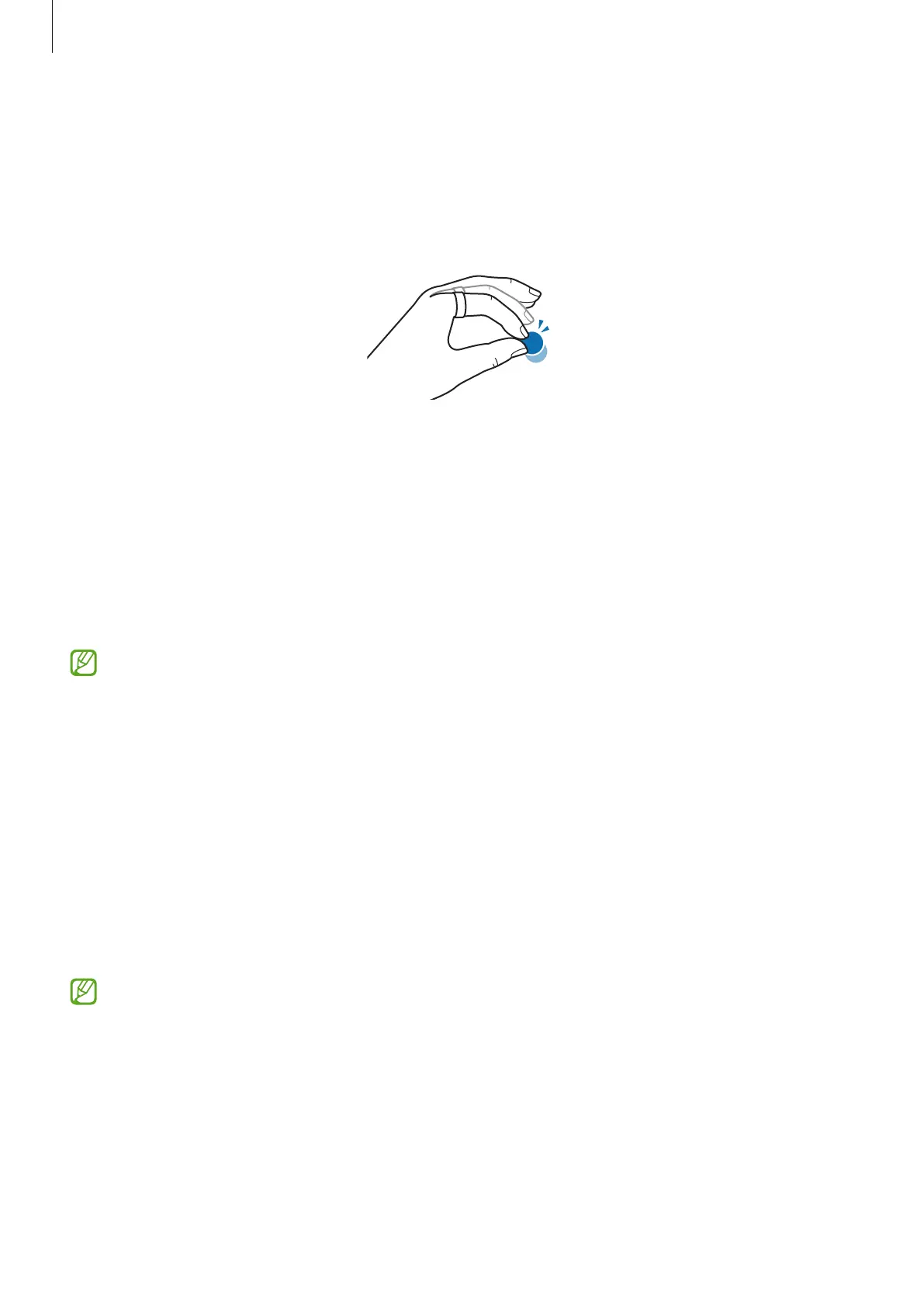
You can remotely control the camera or alarm of the phone connected to the Ring by
double pinching with your thumb and the finger you wear the Ring on. Use the gesture
after configuring the settings in the Galaxy Wearable app of the phone.
1 On the connected phone, open the
Galaxy Wearable
app.
2 Tap
Gestures
and tap the switch of the action you want to control with the gesture to
turn it on.
•
Dismiss alarm
: When an alarm expires on the phone, dismiss the alarm with the
gesture.
•
Take picture or video
: When using the phone’s camera, take a picture or start and
stop recording a video with the gesture.
This feature may not be available depending on the connected phone’s software
version.
Find my ring
If you misplace your Ring, you can use the Samsung Find app installed on the connected
phone to find it.
On the connected phone, open the
Galaxy Wearable
app and tap
Find my ring
.
The Samsung Find app will be opened, and you will then be able to check the location of
your misplaced Ring. Also, you can find it by following the lights emitted from your Ring.
•
Support for the Samsung Find app may vary depending on the connected
phone’s software version.
•
To find your Ring using the Samsung Find feature, Samsung Find’s features
related to finding devices offline must be turned on.
•
It may take 4 minutes or more to search nearby to find the Ring.


 To Next Page