Getting started
12
•
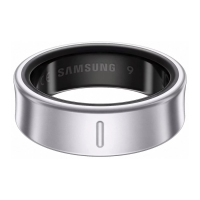
If you will not be using your Ring for a long time, store it after it is charged.
•
When connecting the charging case to another power source, such as a computer
or multi-charging hub, the Ring may not charge properly or it may charge more
slowly because of a lower electric current.
•
While charging, the Ring may heat up. This is normal and should not affect the
Ring’s lifespan or performance. Before wearing the Ring, allow it to cool down
for a while before using it. If the battery gets hotter than usual, the charger may
stop charging.
•
If the Ring is not charging properly, take the Ring and the charging case to a
Samsung Service Centre or an authorised service centre.
•
Avoid using a bent or damaged USB cable. If the USB cable is damaged, stop
using it.
Indicator light identification
You can check the status of your Ring and the charging case through the indicator light
on the charging case.
The indicator light turns on when you open the charging case or press the charging
case’s Multipurpose button. The indicator light displays the status of the Ring when the
Ring is in the charging case, and the charging status of the charging case when the Ring
is not in the case.
Lighting Status
All lights flash and turn off
•
Welcome lighting when you open the
charging case
Flashes clockwise in sequence
•
Displays the remaining battery level
Flashes clockwise in sequence and
blinks at the end
•
Charging (lighting indicates the remaining
battery level)
All lights flash
•
Fully charged
All lights blink
•
Charging error
Spins clockwise continuously
•
Bluetooth pairing mode


 To Next Page