Using the Ring
22
•
You can add sleep records manually. At the bottom of the sleep information
screen, tap
Add sleep record
, enter the time you slept and woke up, and then tap
Save
.
•
When you are inactive or in certain postures while wearing the Ring, it may
mistakenly detect that you are sleeping and record sleep data. To delete the
mistakenly recorded sleep data, tap
→
Delete
on the sleep information screen.
Measuring your blood oxygen level while sleeping
Set to measure your blood oxygen level continuously while sleeping. You can measure
your blood’s oxygen level to check whether your blood is properly delivering oxygen to
the different parts of your body.
This feature is only for your general wellness and fitness. Therefore, do not use it
for medical purposes, such as diagnosing the symptoms, treatment, or prevention
of disease.
Blood oxygen level measurements may vary depending on the measurement
method and the environment they are taken in.
1 On the connected phone, open the
Galaxy Wearable
app.
2 Tap
Health settings
→
Sleep
.
3 Tap the
Blood oxygen during sleep
switch to turn it on.
Your sleeping blood oxygen level will be measured along with your other sleep
records when you sleep while wearing the Ring.
•
If your blood oxygen level is measured continuously while sleeping, the battery
will drain more quickly than normal.
•
You can see the light because of the flickering sensor while measuring your
blood oxygen level.
•
The Ring may measure your blood oxygen level even if you are not sleeping
because your Ring can recognise your sleep status even while reading books or
watching TVs or movies.
•
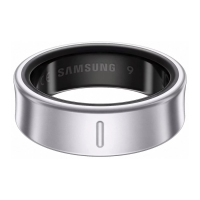
Wear the Ring on a finger where it can fit firmly to ensure that you will not create
space between your finger and the Ring when turning over in your sleep.


 To Next Page