EasyManua.ls Logo

Samsung Galaxy Rush - 1 A. Setting Up Your Device

Samsung Galaxy Rush
210 pages
Print Icon
To Next Page IconTo Next Page
To Previous Page IconTo Previous Page
Loading...
1A. Setting Up Your Device 2
y
Installing the Battery (page 2)
Activating Your Device (page 3)
Setting Up Your Voicemail (page 4)
Memory Card (page 5)
Account Passwords (page 6)
Getting Help (page 6)
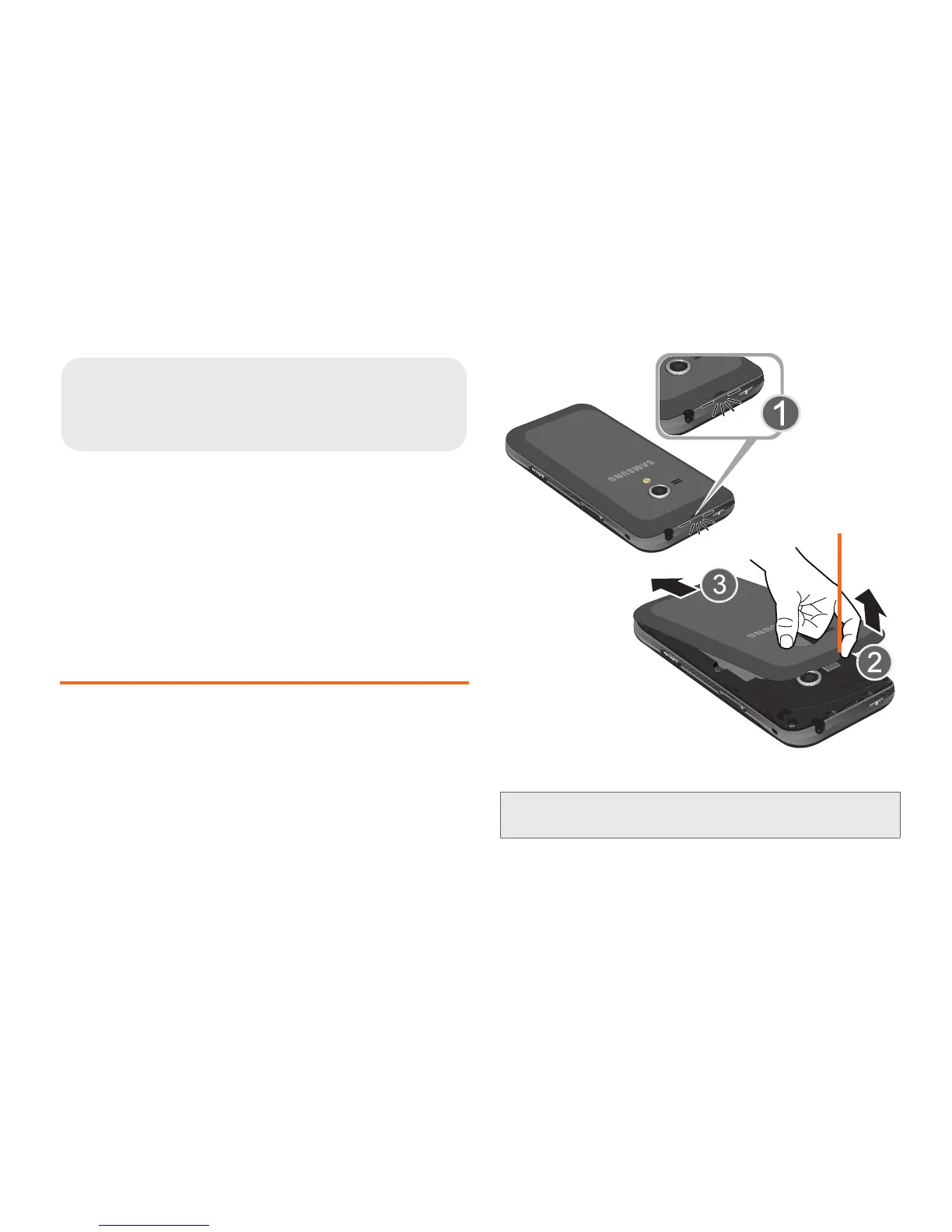
Installing the Battery
1. Hold the device firmly and locate the cover release.
2. Gently “pop” the cover off the device.

1A. Setting Up Your Device
Caution!: Do not bend or twist the back cover excessively.
Doing so may damage the cover.
Release
Latch

Table of Contents

Related product manuals