2-19
Chapter 2 Introduction
External Peripheral Devices
These are peripheral devices that can be connected for use when needed and are connected via the
USB port located at the rear panel.
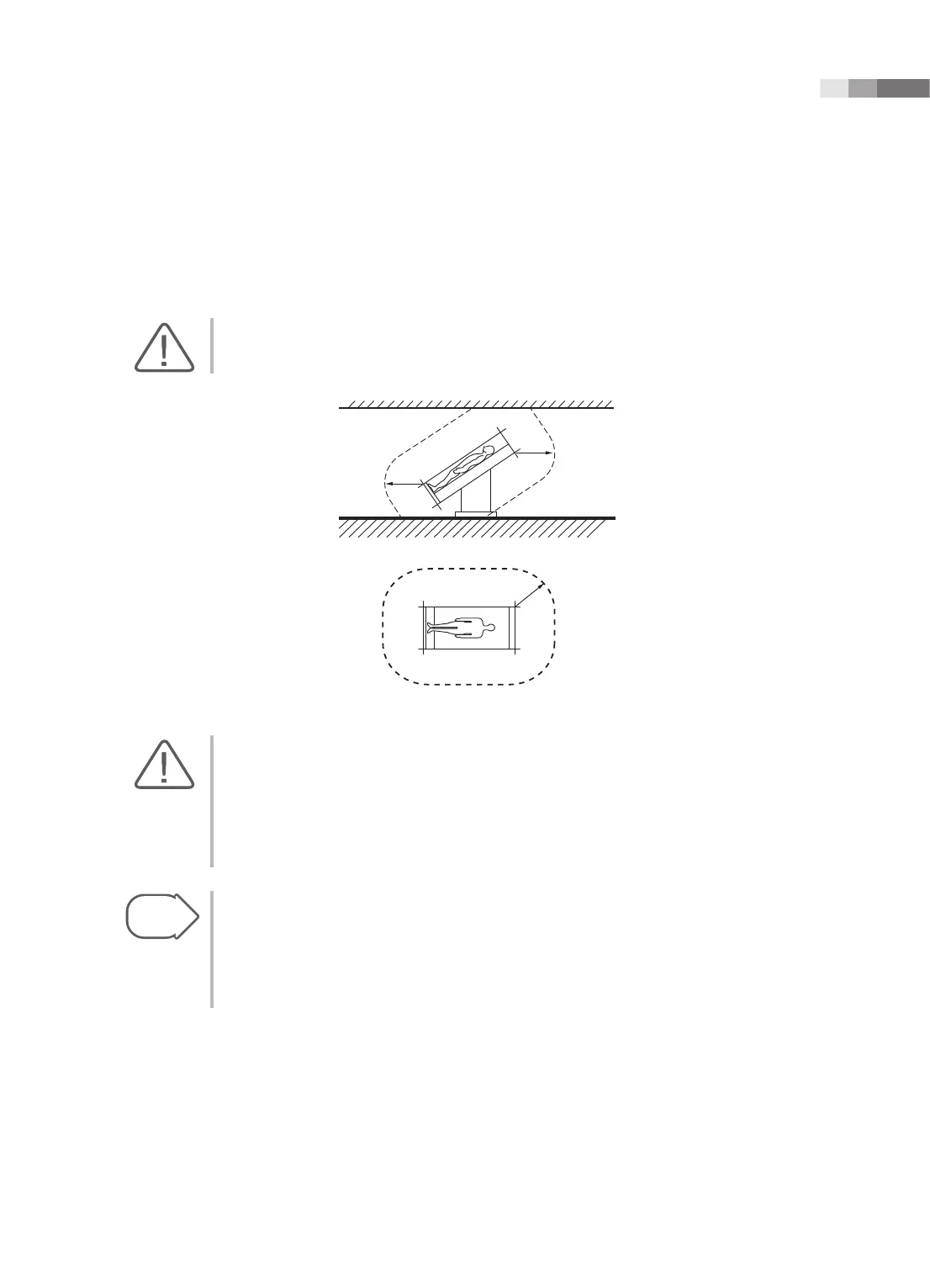
CAUTION: Do not place peripheral devices that are not listed in this manual in the vicinity of the
patient. If you place them in the patient environment, it may cause an electrical hazard.
1.5m
1.5m
1.5m
[Figure 2.9 Patient Environment]
CAUTION:
X
When using a peripheral device via a USB port, always turn the power off before connecting/
disconnecting the device. Connecting or disconnecting a USB device while power is turned on
may cause the system and/or the USB device to malfunction.
X
Do not connect additional Peripheral Devices to the auxiliary socket outlets. Connecting to the
auxiliary socket outlet may decrease safety level.
Tips!
When there are two Soft Menus
The console’s USB ports are located on the side panel of the control panel, as well as on the rear
panel of the console.
We recommend that you connect USB storage devices (flash memory media, etc.) to the ports on
the side panel, and connect USB peripheral devices to the rear panel for convenience.
The following products are recommended:



 To Next Page