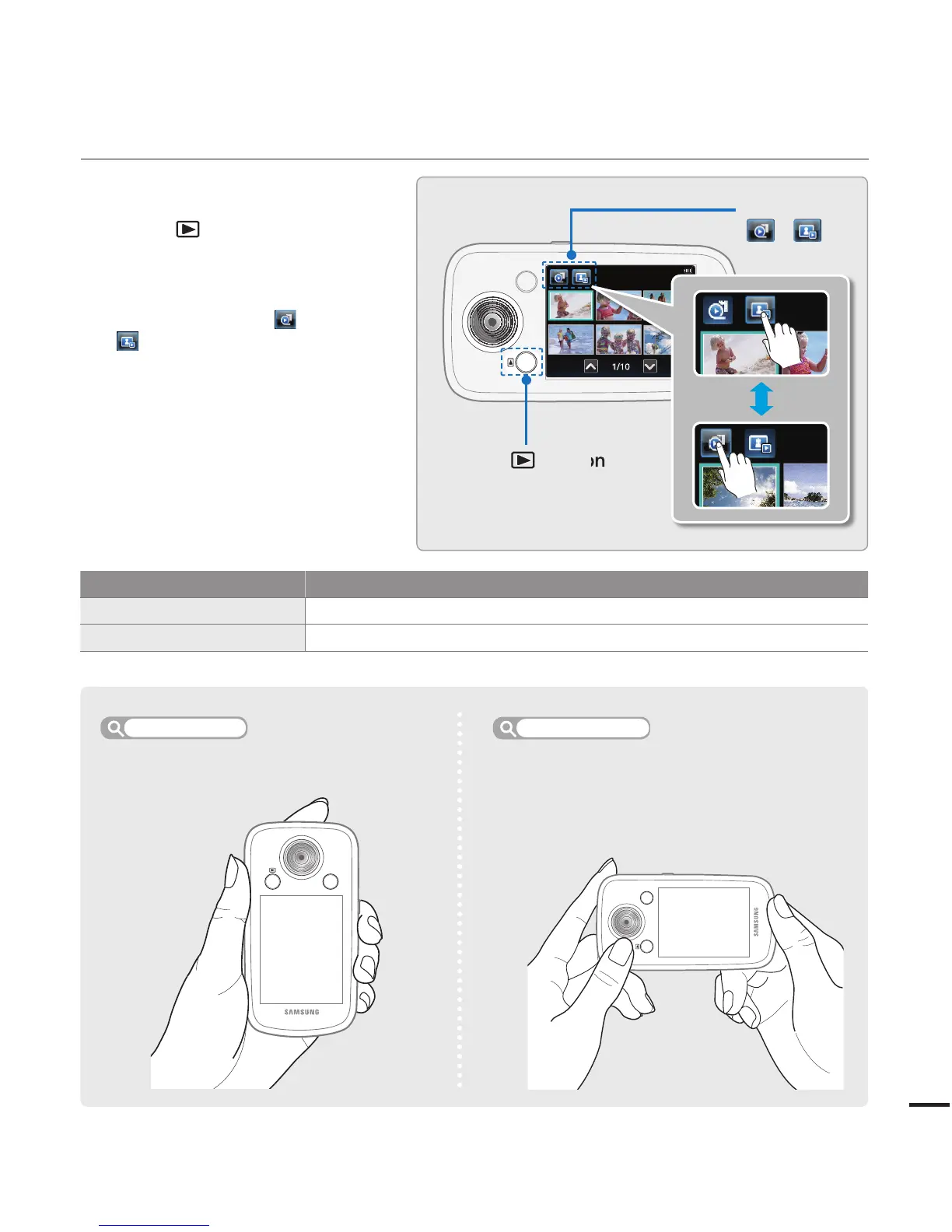
Mode Functions
Record mode To record videos or photos.
Play mode To play videos or photos.
SETTING THE OPERATING MODES
You switch the operating mode in the
following order each time you press
the Mode (
) button:
Record mode
↔
Play mode
You can choose the video or photo
thumbnail
view display options by
touching the Video
( ) or Photo
(
) tab on the LCD screen.
When switching to play mode,
you can enjoy landscape playback
by rotating the camcorder from a
vertical to a horizontal position.
•
•
Easy one-handed recording and button
operations.
When switching to the play mode, you can
enjoy a landscape playback by rotating the
camcorder.
Record mode
Playback mode
MENU
MENU
Play tab
( / )
Mode ( ) button








 To Next Page