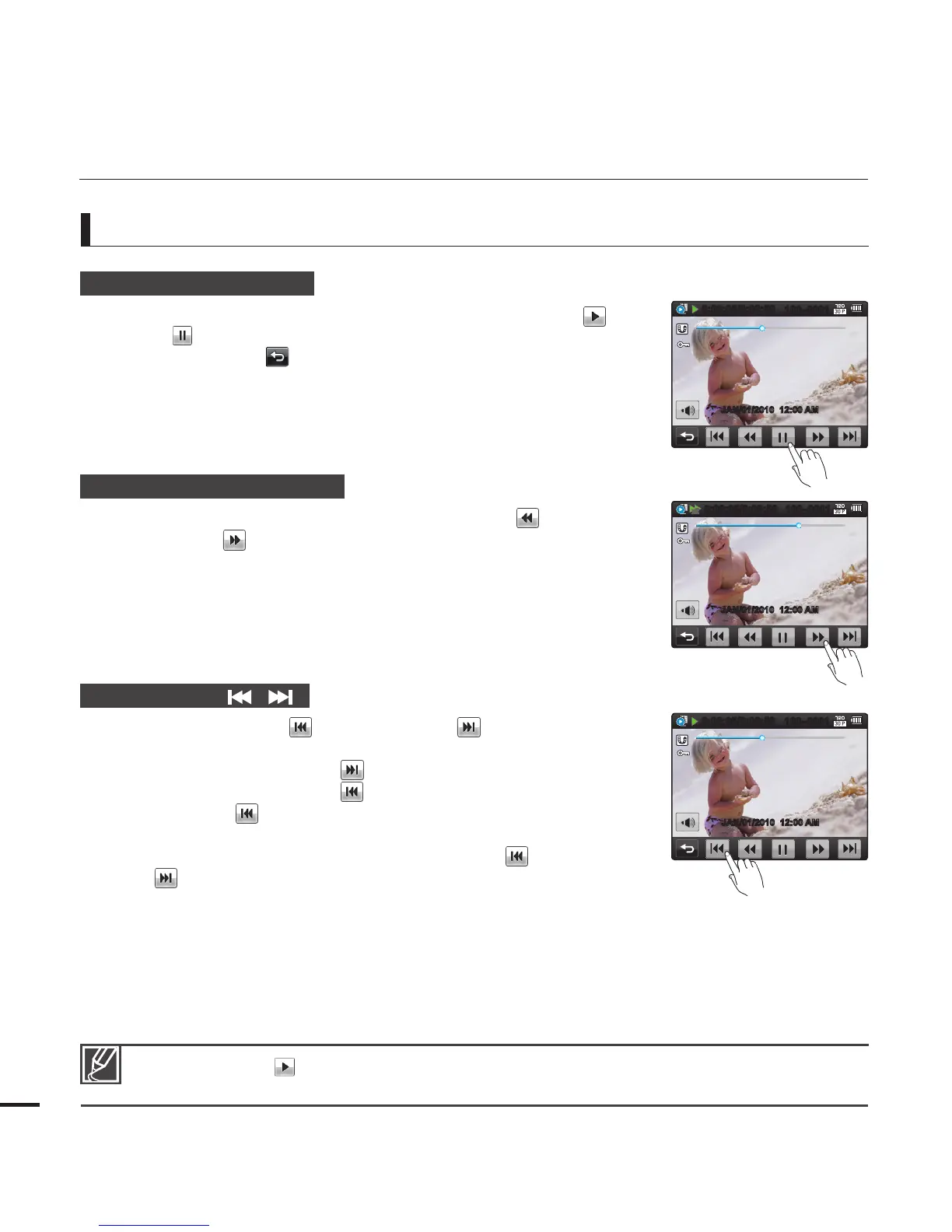
Various playback operations
Playback / Pause (
X
/
ZZ
)
Playback and pause alternates when you touch the Play ( ) /
Pause (
) tab during playback.
Touch the Return ( ) tab to stop playback and return to the
thumbnail.
Search playback (
WW
/
XX
)
During playback, each touch of the Reverse search ( ) /
Forward search ( ) tab increases the play speed:
- RPS (Reverse Playback Search) rate: x2
x4
x8
x16
x32
x2
- FPS (Forward Playback Search) rate: x2
x4
x8
x16
x32
x2
Skip playback ( / )
Touch the Reverse skip ( ) / Forward skip ( ) tab during
playback.
Touching the Forward skip ( ) tab plays the next video.
Touching the Reverse skip ( ) plays the beginning of the scene.
If reverse skip ( ) is touched within 3 seconds from the start of
the fi le, the previous video is played.
Place and hold your fi nger on the Reverse skip ( ) / Forward
skip ( ) tab to search for a video quickly. When you lift off your
fi nger, the camcorder plays the selected video.
y
y
y
y
y
basic playback
40
Touch the Play ( ) tab to play back at normal speed.
You can hear sound only when the playback is at normal speed.
•
•
JAN/01/2010 12:00 AM
0:00:05/0:00:50
100–0001
x2
JAN/01/2010 12:00 AM
0:00:05/0:00:50
100–0001
JAN/01/2010 12:00 AM
0:00:05/0:00:50
100–0001








 To Next Page