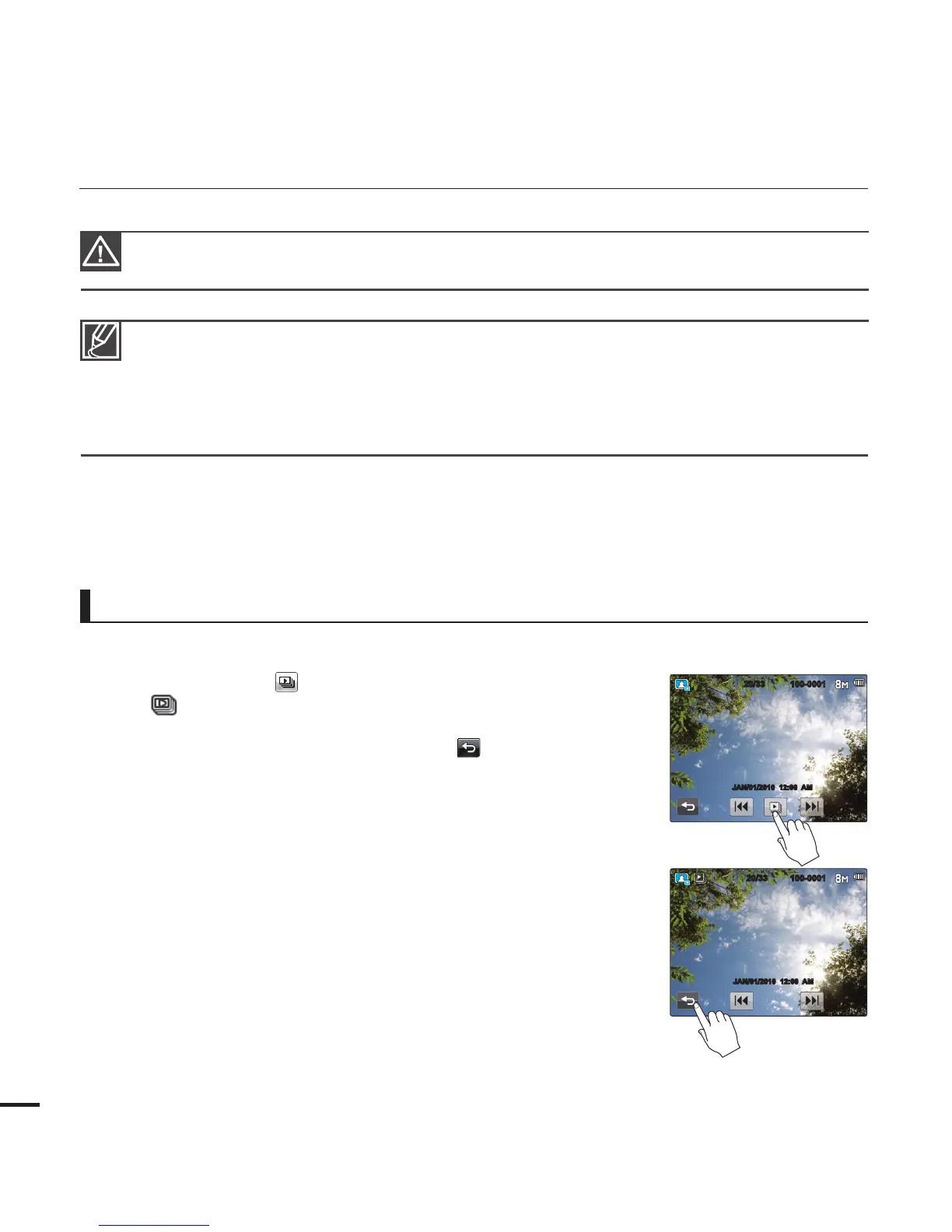
You can view a photo slide show.
Touch the Slide Show (
) tab during photo playback.
The ( ) indicator is displayed. The slide show starts from the
current selected photo.
To stop the slide show, touch the Return (
) tab.
y
y
Viewing a slide show
basic playback
Your camcorder may not play back the following photo fi les normally:
- A photo with a fi le format not supported by this camcorder (it does not conform to DCF
standards).
Loading time may vary depending on the resolution of the photo you selected.
This camcorder can support the JPEG fi le format. (However, note that all JPEG fi les are not always
played back.)
•
•
•
Do not power off or eject the memory card during photo playback. Doing so may damage the
recorded data.
42
100-0001
20/33
JAN/01/2010 12:00 AM
100-0001
20/33
JAN/01/2010 12:00 AM








 To Next Page