54
system setting
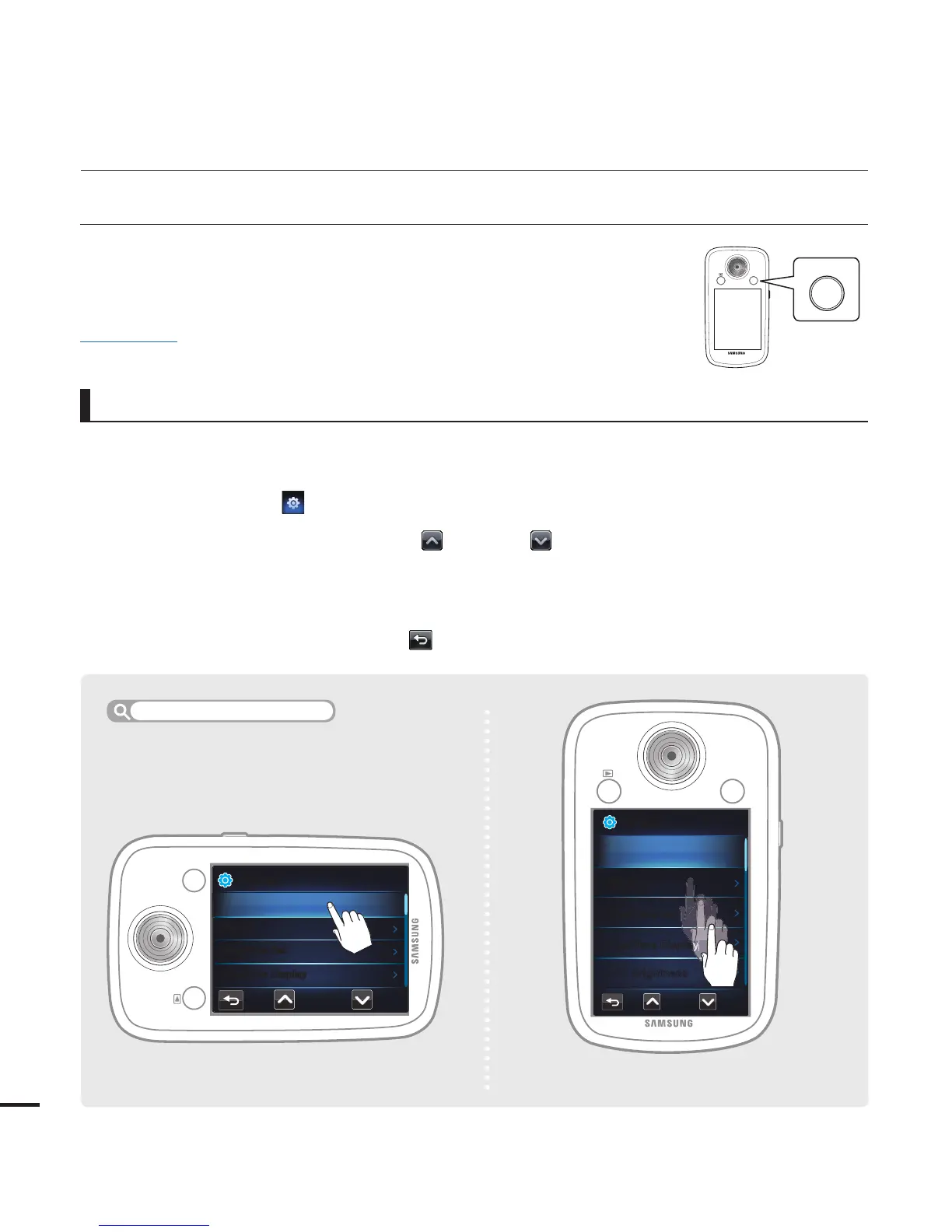
1. Press the MENU button in the record or the play mode.
The menu screen appears.
2. Touch the "Settings
."
3. Drag up/down or touch the Previous (
) or Next ( ) tab until the desired option is
displayed and then touch the desired option.
The submenu items for the option you selected appear.
Touch the desired submenu item.
4. To exit the menu, touch the Return (
) tab.
•
•
•
USING THE SETTING MENU TAB
You can change the menu settings to customize your camcorder.
Access the desired menu screen by following the steps below, and
then change the various settings.
•
•
Using the Menu Tab: An Example
PRECHECK!
Insert a memory card.
¬
page 27
Using the setting menu
<Setting in the play mode>
<Setting in the record mode>








 To Next Page