71
Other settings
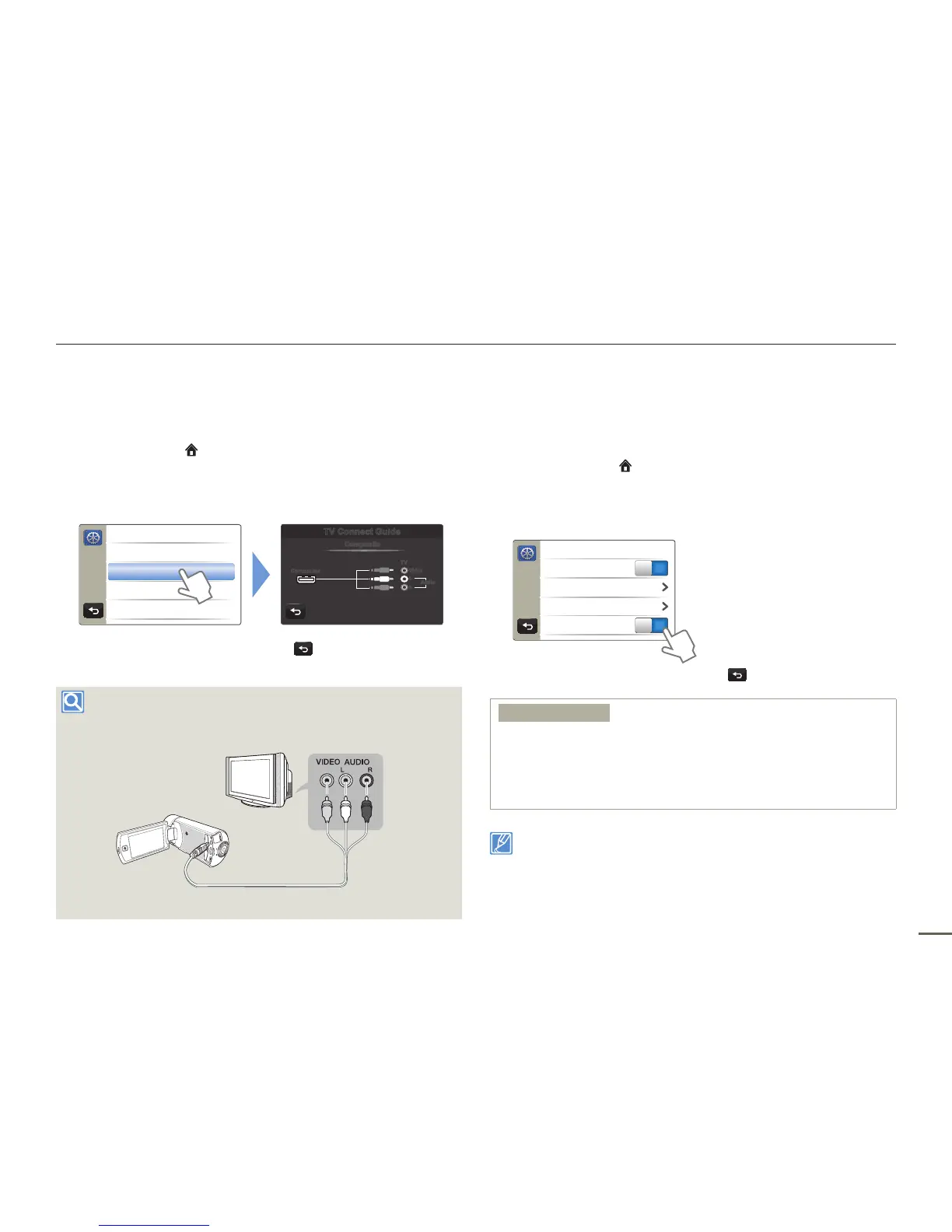
TV Connect Guide
You can view the TV Connect Guide for instructions before you
connect the camcorder to your TV set.
1
Press the Home ( ) button
p
touch “Settings”
p
“Connectivity”
p
“TV Connect Guide”.
2
Touch the desired submenu item.
>> TV Connect Guide
HDMI
Composite
TV Connect Guide
Composite
Camcorder
R
L
TV
Audio
Video
3
To exit the menu, touch the Return ( ) tab.
To connect to a standard and analogue TV
with the supplied Audio/Video cable.
Camcorder
Regular TV
Anynet+ (HDMI-CEC)
This camcorder supports Anynet+. Anynet+ is an AV network
system that lets you control all connected Samsung AV devices with
a Samsung TV remote control that supports Anynet+.
1
Press the Home ( ) button
p
touch “Settings”
p
“Connectivity”.
2
Touch the desired item next to “Anynet+ (HDMI-CEC)”.
> Connectivity
USB Connect
TV Connect Guide
PC Software
ON
Anynet+ (HDMI-CEC)
ON
3
To exit the menu, touch the Return ( ) tab.
Submenu items
OFF : Disables the function.
ON : The Anynet+ function is enabled.
When the camcorder is connected to a TV that supports Anynet+,
you can operate some functions of the camcorder using the TV’s
remote control.
•
•
When you turn on the camcorder and it is connected by an HDMI
cable to a TV that supports Anynet+, the TV automatically turns on.
If you do not want to use the Anynet+ function, set the “Anynet+
(HDMI-CEC)” to “OFF”.
For details on the Anynet+ (HDMI-CEC) function, refer to the user
manual of Samsung’s Anynet+ supported TV.
•
•



 To Next Page
 Loading...




