7
Installation
To install your device, follow these simple steps:
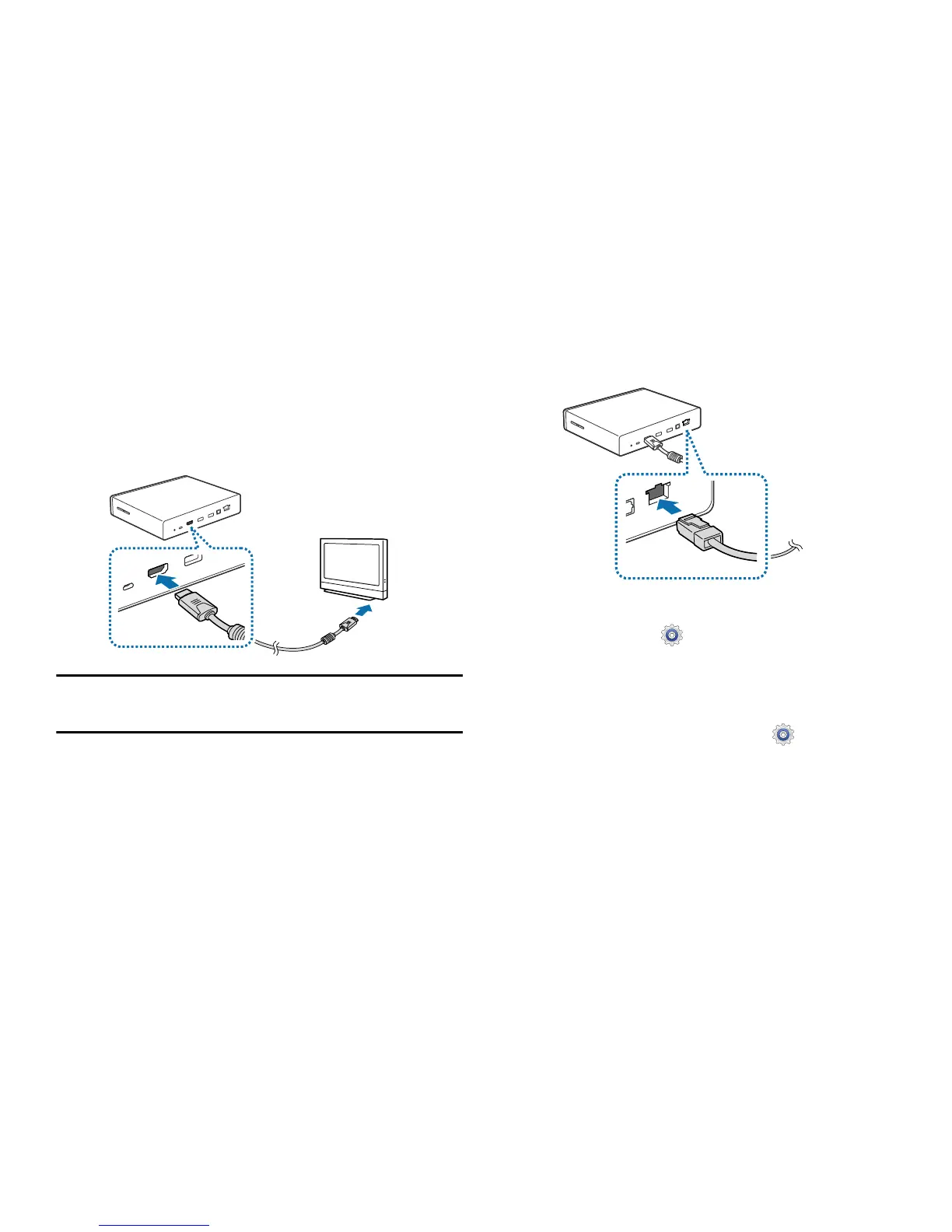
1. Connect the device to a monitor that supports the
High Definition Multimedia Interface (HDMI) using the
HDMI cable.
Note:
For more information, refer to the user manual for
the monitor.
2. Connect the device to a network by connecting the LAN
cable to the LAN cable port on the device.
•
If you connect the LAN cable after turning on the device,
access
Apps
➔
Settings
➔
Ethernet
, and then
select
Ethernet
.
•
You can let the device connect automatically to the current
Wi-Fi network your smartphone uses or you can connect to a
Wi-Fi network by accessing
Apps
➔
Settings
➔
Wi-Fi
.
However, to establish a better connection, it is recommended to
connect the LAN cable.



 To Next Page